


Awesome Graphs for Bitbucket
Measure developer productivity with ready-to-use graphs and REST API for custom reports













 1K+
clients worldwide
1K+
clients worldwide
 4.4/5
customer rating
4.4/5
customer rating
 #1
Bitbucket reporting app
#1
Bitbucket reporting app


What's really happening in your engineering projects?
 You spend hours trying to understand the progress of your engineering team and have to manually gather data from different sources.
Developers wait for days for their pull requests to be reviewed and delivery is delayed.
You want to see who is your top performer but Bitbucket doesn't provide this data natively.
Other analytics tools are difficult to adopt and require severe changes to your processes.
You spend hours trying to understand the progress of your engineering team and have to manually gather data from different sources.
Developers wait for days for their pull requests to be reviewed and delivery is delayed.
You want to see who is your top performer but Bitbucket doesn't provide this data natively.
Other analytics tools are difficult to adopt and require severe changes to your processes.
Here is what our customers say about Awesome Graphs
 the best add-on for monitoring the activity of teams and repositories
very intuitive and easy to use
provides useful insights and metrics
the best add-on for monitoring the activity of teams and repositories
very intuitive and easy to use
provides useful insights and metrics


Bitbucket analytics for every engineering team
Measure developer productivity with individual activity reports
- Review commit activity trends over time
- Zoom in to see what exactly your developers are working on
- Analyze projects, repositories, and workspace data

Choose metrics that work for your team
- Track commits, pull requests, and lines of code
- Use flexible time and date filters to control data you want to include

Create insightful reports in one click or customize with REST API
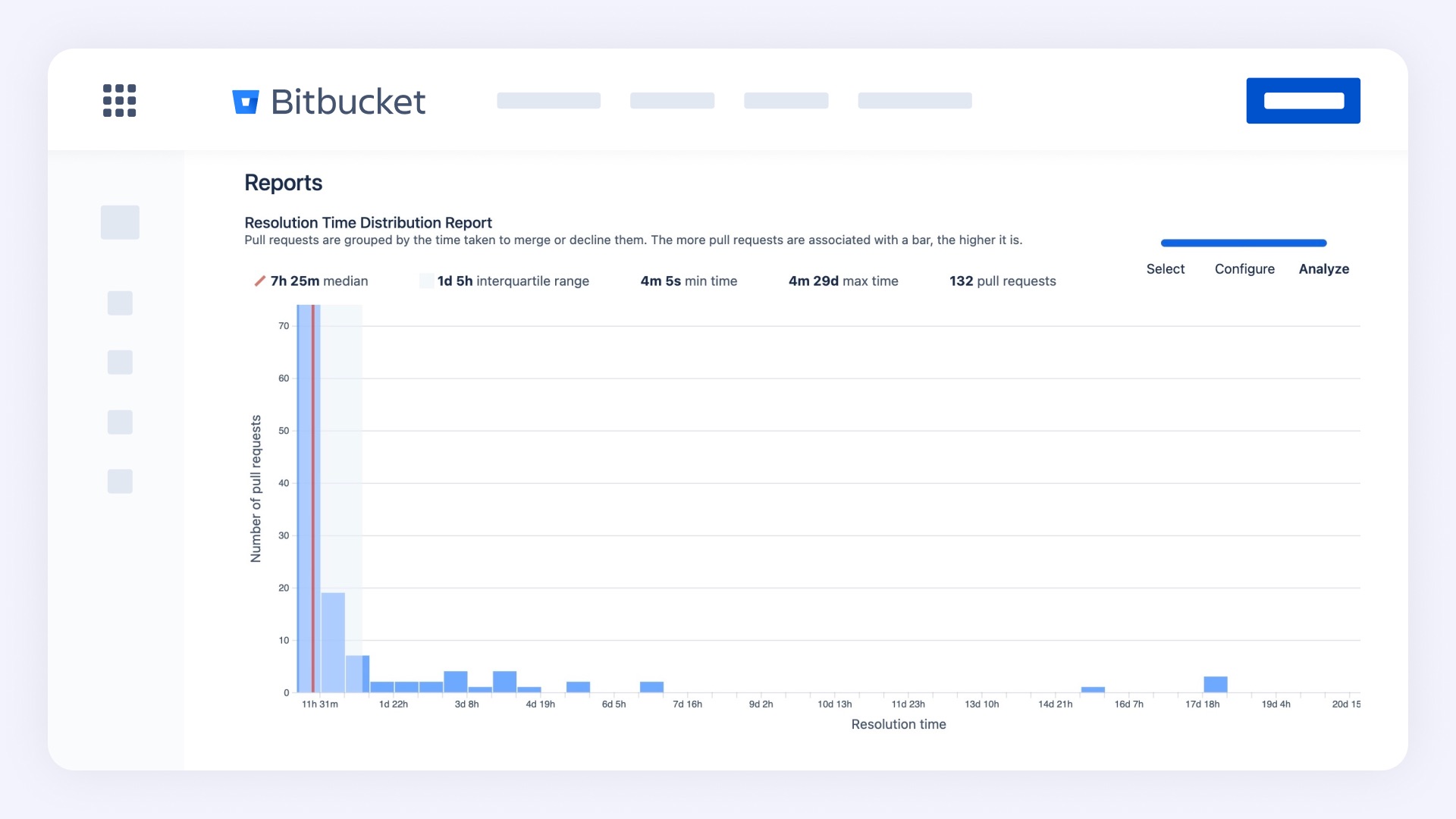
- Track pull request resolution time
- Use our REST API endpoints to track advanced metrics like the number of pull request comments and lines of code statistics
What you get with Awesome Graphs

Without

With
Helpful resources
Answering your questions
Yes! After you install the app in your Bitbucket workspace, a 14-day trial will automatically be enabled.
Awesome Graphs for Bitbucket can be installed by your Bitbucket workspace admin from Atlassian Marketplace. No card details required for a free trial: we will only ask for your payment details when you are ready to purchase.
After you install the app, we will index your data and show you all the graphs and reports right after, no special setup required.
Awesome Graphs for Bitbucket Cloud is currently priced at $3 per user monthly.
The pricing for Awesome Graphs for Bitbucket Data Center depends on the user tier and can be viewed here.
Yes! We offer multiple REST API endpoints for pull request, commit, and lines of code data that can be leveraged for custom reporting needs.
Yes! We are part of the Bug Bounty program and have a dedicated customer support portal.
