






Acceptance Criteria in Jira: Tutorial for Agile Teams

Teams often think they share the same understanding of a feature until development starts and everyone realizes they pictured it differently. Acceptance Criteria help prevent this kind of mismatch by describing how the final result should look. In this tutorial, we’ll walk you through how to write them clearly and show the most effective way to manage Acceptance Criteria in Jira.
What is Acceptance Criteria in Jira?
Acceptance Criteria (AC) are concise and clear statements that describe and focus on the expected result of how the product should behave for the user, without going into the technical details of how it’s built.
Why does this matter? Because AC remove the guesswork. When requirements are vague, it is easy for developers, testers, and product owners to have different ideas about what they mean. Clear criteria make sure the team delivers exactly what stakeholders and users expect.
Acceptance Criteria vs. Definition of Done
It’s important not to confuse Acceptance Criteria with another widely used term for Agile teams: Definition of Done (DoD). Although both concepts are important when working with requirements, they are completely different:
- The Definition of Done is an internal team agreement that defines what “completed” means. It is more about the process itself: code is written, covered by tests, passed code review, deployed, etc.
- Acceptance Criteria describe the result expected by a client or user. They verify whether the feature meets expectations and solves the business problem.
Acceptance Criteria and Definition of Done in Jira: What’s the Difference?
| Acceptance Criteria | Definition of Done (DoD) | |
|---|---|---|
| What it describes | Expected functionality behavior from the user’s perspective | Internal technical steps indicating task completion |
| Scope | Specific to each user story | Applies to the entire team or particular types of tasks |
| Who creates it | Created in dialogue with the business stakeholders | Created by the team |
| Type of statements | Testable business conditions (yes/no answers) | Standardized development process actions |
| Purpose | Confirm that the result is valuable and meets expectations | Ensure technical quality and task completeness |
Thus, DoD is about process and technical completeness, while Acceptance Criteria focus on users’ expectations. However, only when both DoD and AC are met can a team say that a user story is fully complete.
Writing Good Acceptance Criteria for Jira Stories
In order to effectively fulfill their purpose, the Jira Acceptance Criteria should be:
- Binary. Each criterion should answer the question of whether it meets the requirements or not. There can be no “partial success”.
- Unambiguous. AC can only be interpreted one way. It’s incorrect to write: “The button follows Atlassian style” or “The verification form is clearly visible on small screens,” as such criteria can be interpreted differently.
- Focused on the outcome. They describe what the functionality should do, not how exactly.
- Verifiable (testable). Each criterion should be easily converted into a specific test case that can be checked separately for quick identification of problems.
- Complete. The list of criteria should include all functional requirements.
Common Mistakes and Acceptance Criteria Example
The most common problem Agile teams face is that the Acceptance Criteria are formulated too generally in Jira.
Here’s an example of a user story you might encounter in almost any digital product: “As a user, I want to be able to reset my password if I’ve forgotten it so I can access my account.”
Unclear Acceptance Criteria for this story can look like this:
- A user can request a password reset.
- A user can set a new password.
- A user receives an email with a reset link.
Why is this list not enough? Because it doesn’t cover most of the scenarios that both users and the team will encounter, such as: “What’s the link’s expiration period?” or “What are the requirements for the new password?”
All of these details are critically important and shouldn’t be figured out by the developers or testers.
Here is an example of well-defined Jira Acceptance Criteria for this user story:
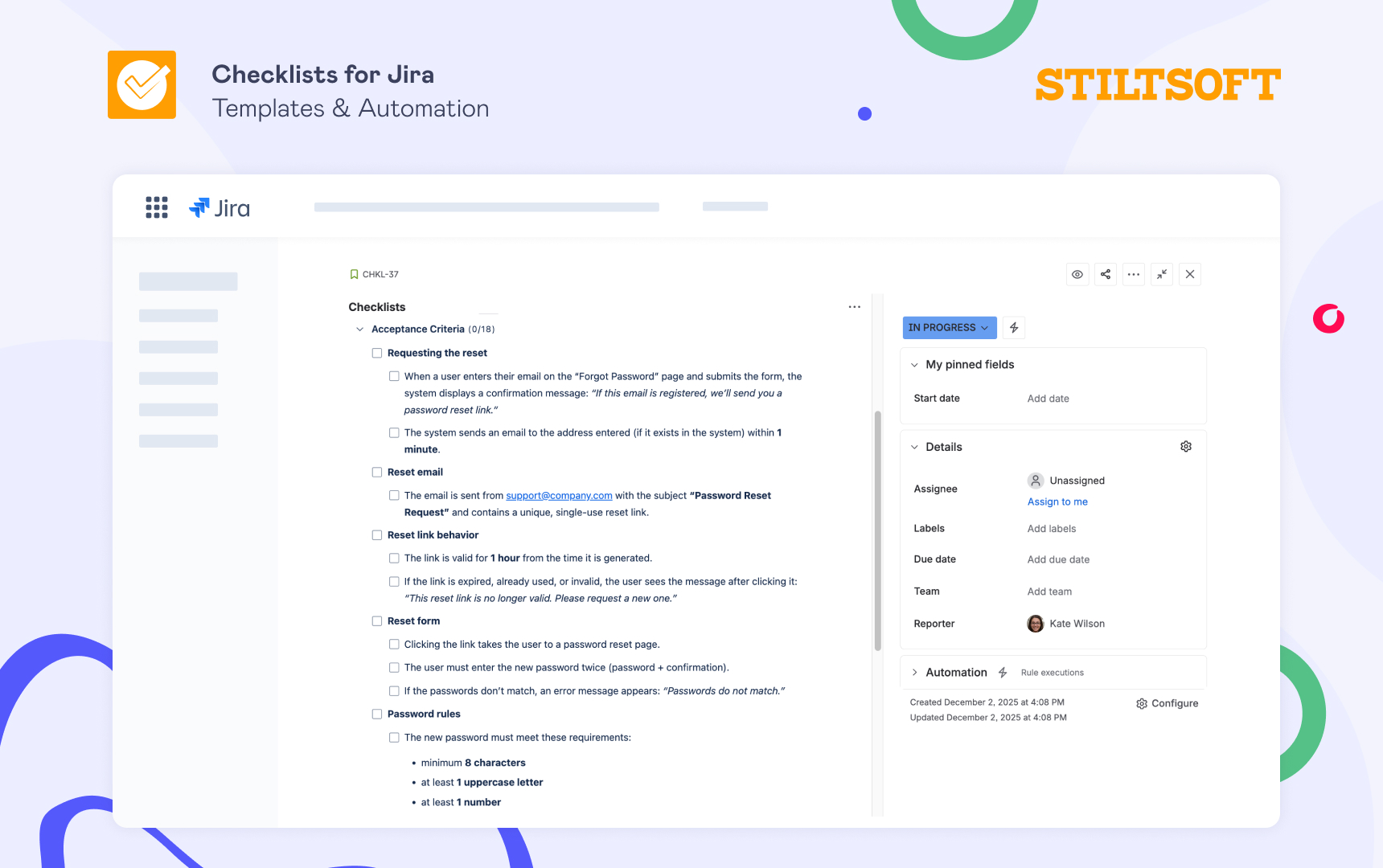
Such criteria are testable, clear, and leave no room for guessing.
How to Create Jira Acceptance Criteria
When a team wants to use Acceptance Criteria for user stories, it’s helpful to record them directly in Jira so everyone can see and track them. The most common ways to do that are the following:
Write AC directly in the work item’s description field. It is the simplest way and requires no setup, but as soon as the description accumulates other information (context, images, comments), the AC may get lost in a wall of text. Consequently, it becomes hard to parse, track, or mark as done.
Add a custom “Acceptance Criteria” field. Jira admins can create a custom field (for example, a paragraph field that supports rich text) to add to Jira stories. Therefore, a dedicated place is set for AC, which is preferable to incorporating it into a description. However, it still has some limitations: it’s static text, non-interactive, and lacks progress tracking. Thus, Acceptance Criteria may remain unchecked or forgotten.
Use the Checklists app from the Atlassian Marketplace. Instead of stuffing Acceptance Criteria into a description or a static field, you can use the Checklists for Jira app to create them as interactive, checkable items. Each criterion becomes its own checkbox that the team can tick off as it’s completed. The app makes it really easy to see what’s done and what’s still open.
Benefits of Using Checklists for Acceptance Criteria
Here’s why teams find the Checklists for Jira app useful for managing Acceptance Criteria in Jira:
- AC become visible and actionable. As soon as you open a Jira story, you see what’s done and what’s still open. Instead of being hidden in text, Acceptance Criteria become tangible things that you can check off.
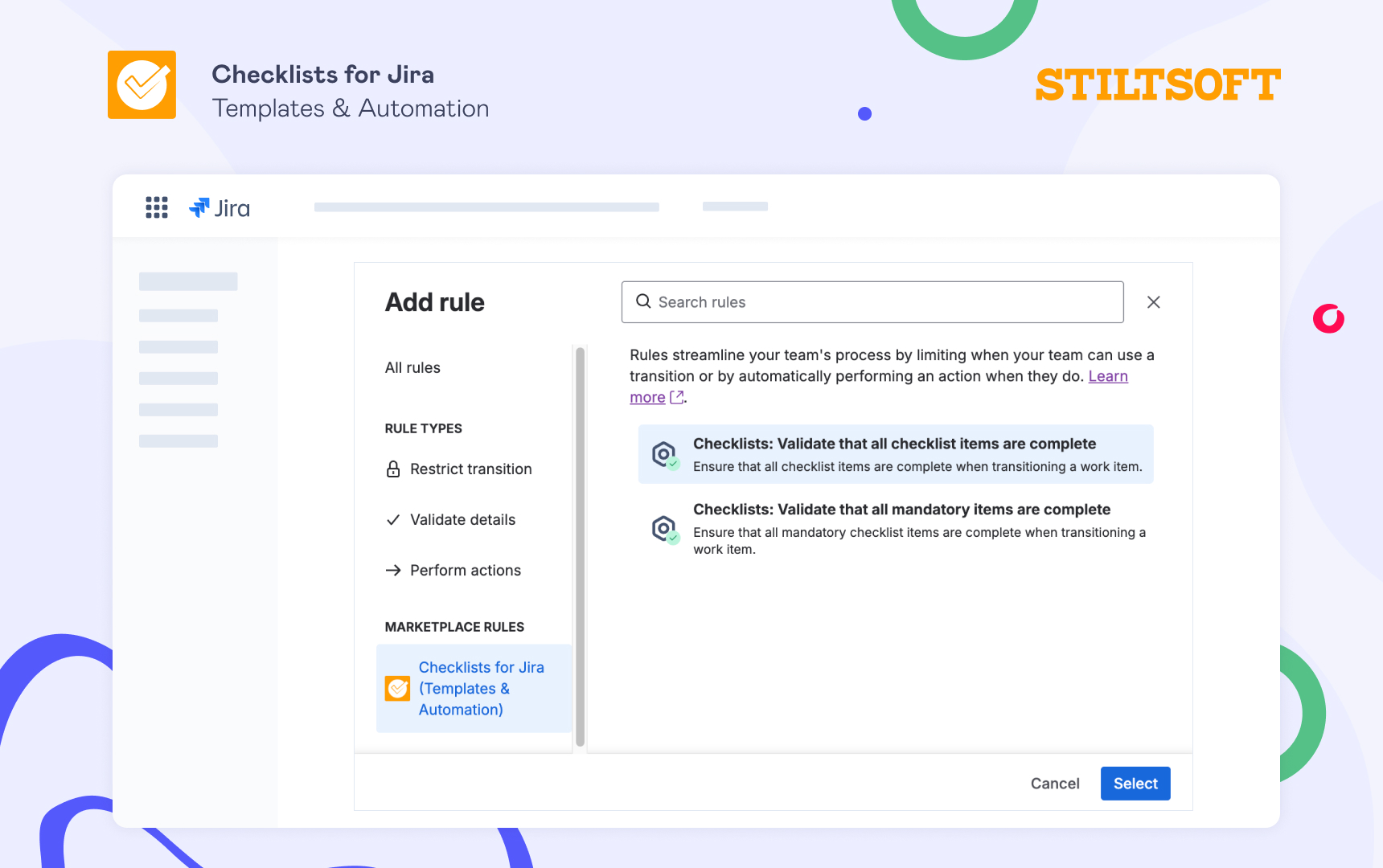
- Validators enforce completion. With validators tied to checklist completion, you make sure that a story doesn’t slip through before everything is done.
- Clear collaboration and accountability. Because Jira Acceptance Criteria are visible, structured, and enforced, everyone from the product owner to QA knows exactly what “done” means, reducing misunderstandings and rework.
- Easy setup and use. Once the app is installed from the Marketplace, you can create an Acceptance Criteria checklist in a few steps:
- Open a Jira story
- Click the Add Checklist button in the Checklists app UI
- Type all your Acceptance Criteria. That’s it!
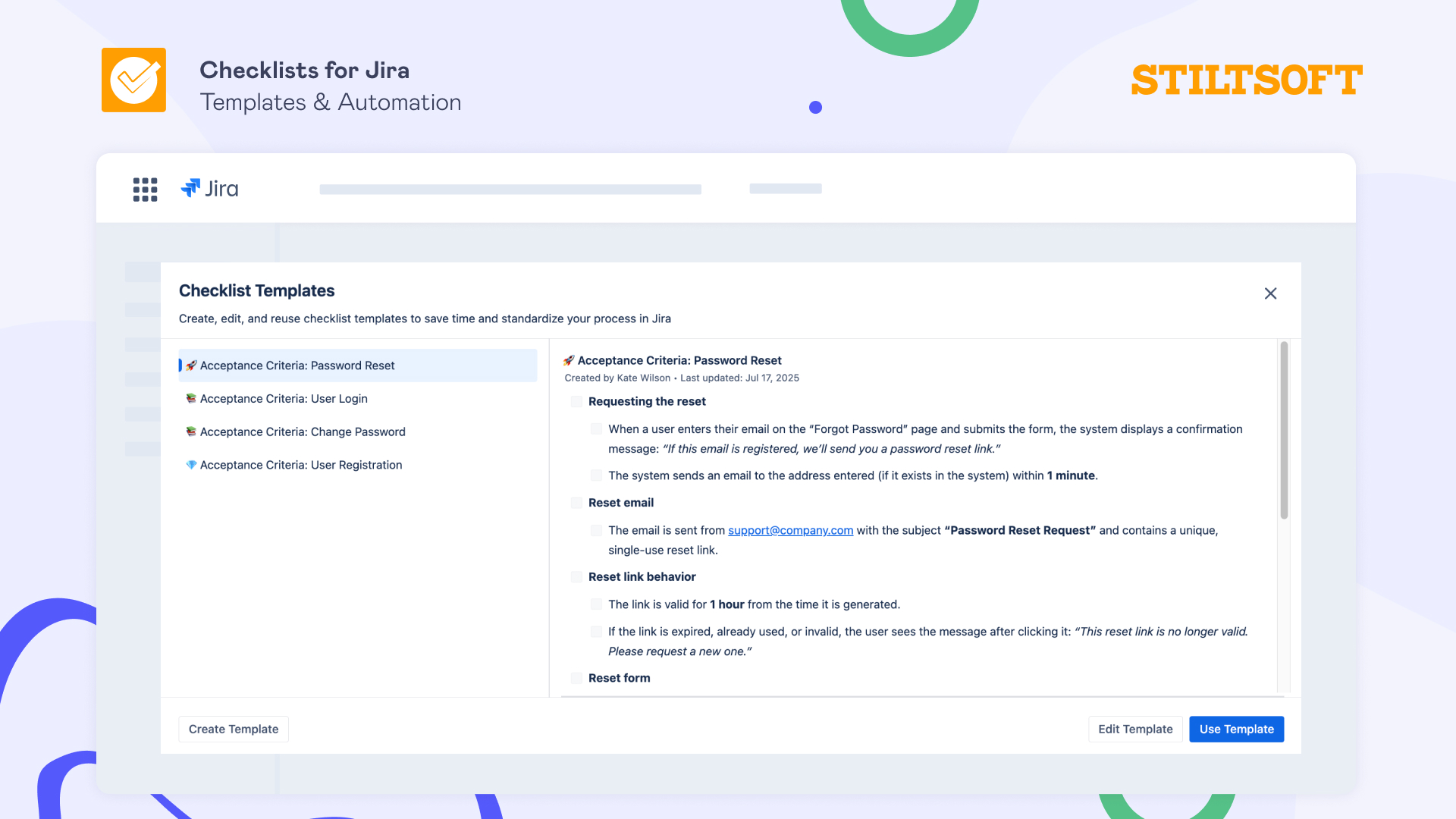
Apart from that, the app allows you to create checklist templates and integrates with Jira automation, enabling Agile teams to easily organize and automate recurring tasks and save hours every sprint.
Wrapping Up
Clear Acceptance Criteria in Jira reduce ambiguity, cut down on rework caused by misunderstood requirements, and help move faster. And most importantly, they guarantee the team delivers the feature that meets users’ expectations.
If your team struggles with unclear requirements or lost Acceptance Criteria, try Checklists for Jira (Templates & Automation) for free and ensure that “done” truly means “done”.