







How Smart Checklists in Jira Can Transform Your Workflow in 2026

Jira workflows often look solid on paper: tasks are clearly described, responsibilities are defined, and work items move smoothly through statuses. And yet, in real work, things can still go wrong:
- Some steps are skipped.
- Deadlines are missed.
- Important details live in people’s heads rather than in Jira.
This can happen because some of the processes are still managed manually and can’t be easily scaled.
In this guide, we’ll show how smart checklists in Jira, such as the Checklists for Jira (Templates & Automation) app, can help teams build scalable, predictable workflows in 2026.
Checklists for Jira (Templates & Automation) is an enterprise-ready app that helps teams organize recurring processes with structured checklists and templates and save time by eliminating manual work. It seamlessly integrates with Jira automation and validators, so team processes run the same way every time.
Limits of static to-do lists in Jira
Most teams start simple: they add a to-do list in the Jira work item description, and, at first glance, this workflow works well. But as teams grow, the number of issues increases, and task descriptions become more extensive, static lists can slow down significantly, because they require manual input and don’t automatically adapt to context.
Every time a similar work item is created, someone copies and pastes the same steps. Over time, those steps drift: someone removed an item or forgot to add a new one. And soon, the standard process will exist only in Confluence documentation.
Subtasks don’t solve this challenge either. If too many of them are created, they add complexity and clutter the boards in Jira. Instead of simplifying and breaking down work into small steps, they fragment it, making it harder to see progress at a glance.
Why smart matters in Checklists for Jira
When teams start thinking about using smart checklists in Jira, they’re primarily looking for confidence and reliability that nothing critical will be missed, and everyone follows the same predefined process. In practice, that means things like:
- reusable checklist templates for recurring processes
- clear ownership and deadlines for individual steps
- visibility into progress at a glance
- guardrails that prevent tasks from moving forward too early
A smart checklist understands context, appears when needed via Jira automation, and guides people in their work without the need to remember “what should I do next.” This is where the basic Jira to-do lists fall apart: they require manual input and do not guarantee the process will be completed in accordance with the company’s standards.
The shift from passive to-do lists to active processes is exactly where solutions like Checklists for Jira (Templates & Automation) start to change how teams work inside Jira.
How smart checklists in Jira transform workflows
Smart checklists in Jira remove uncertainty without adding complexity to the workflow. This happens because tools like Checklists for Jira offer practical capabilities that static Jira to-do lists simply can’t.
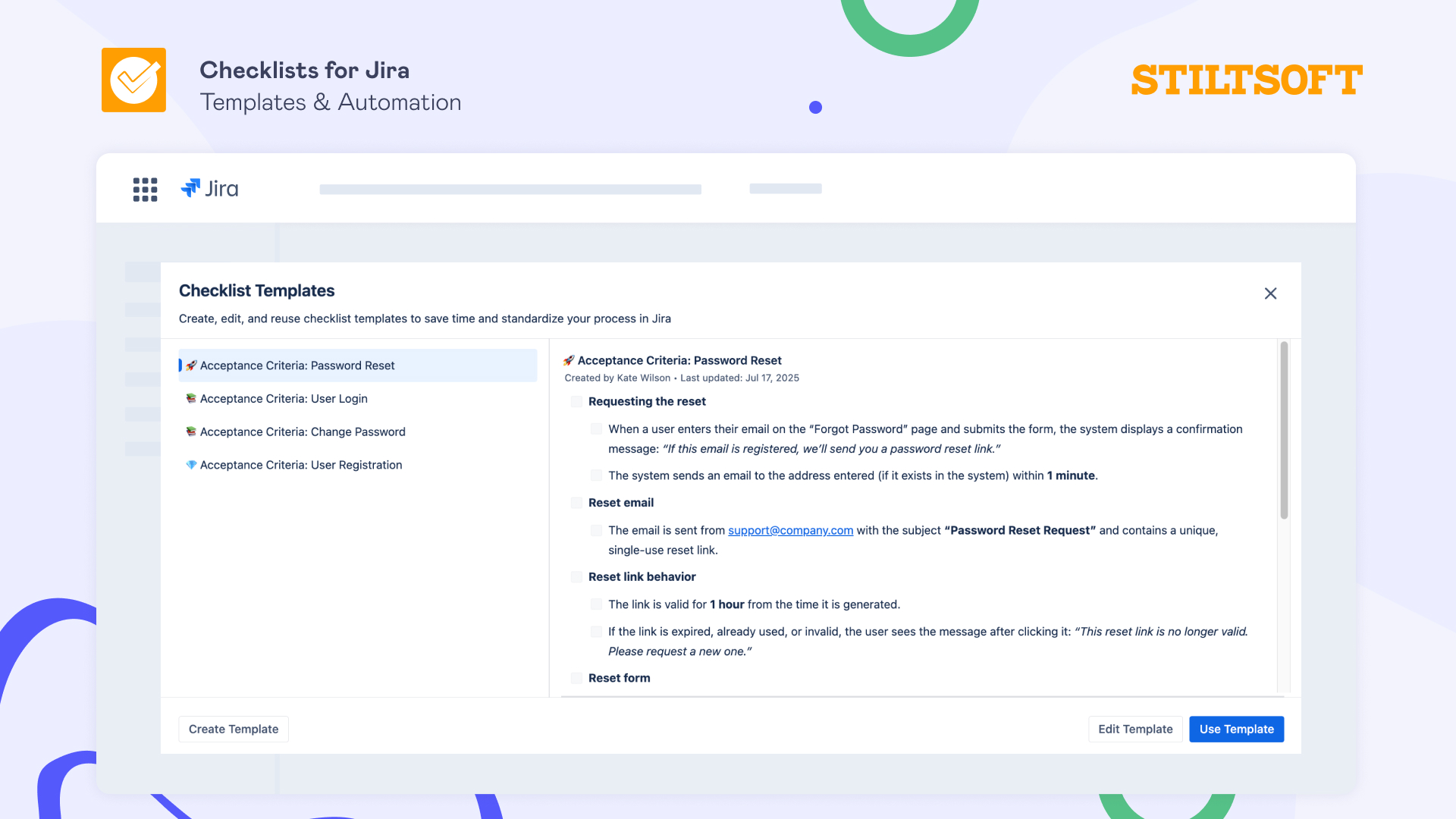
Checklist templates to save time and eliminate manual input for repetitive work
Most Jira work items are repetitive: QA checks, release steps, onboarding tasks, acceptance criteria, definition of done, and many more. The tasks change, but the processes don’t.
Checklist templates allow teams to define recurring processes once and reuse them across different projects. You will not need to copy checklists from old work items or wonder which version is the right one.
Templates turn the company’s standards into defaults and remove constant manual input from repetitive work.
Integration with Jira automation to get the right checklist at the right time
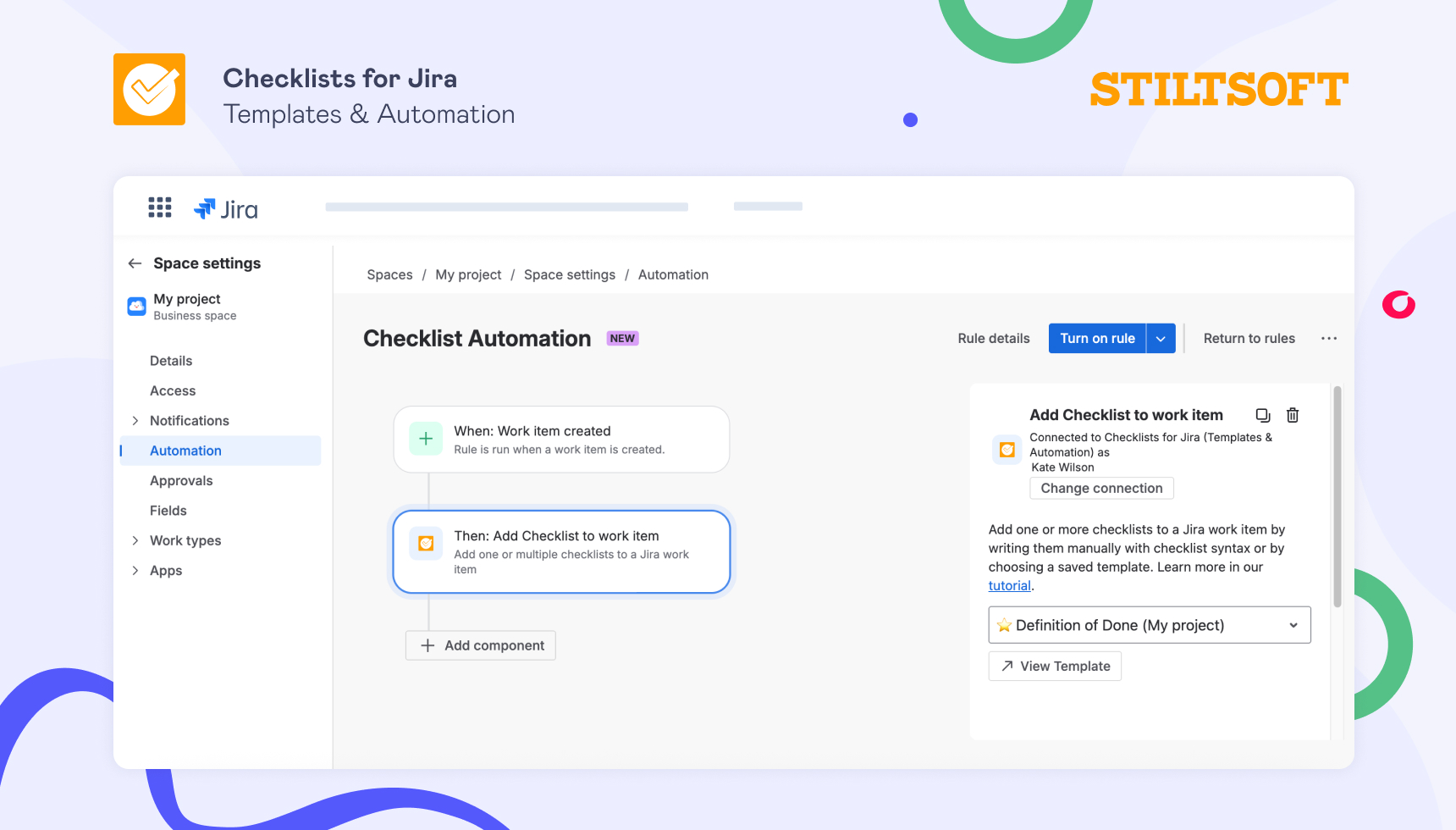
Even the best checklist template is useless if someone forgets to apply it to their task. Teams can avoid this risk by using integration with Jira automation. Checklists will appear automatically based on work item type, project, or workflow status. You will set up automation once, and no reminders or manual steps will be needed thereafter.
When processes rely on human memory, they can eventually fail. Checklist automation ensures that process compliance doesn’t depend on people’s attention or experience.
Validators as guardrails to ensure compliance with company standards
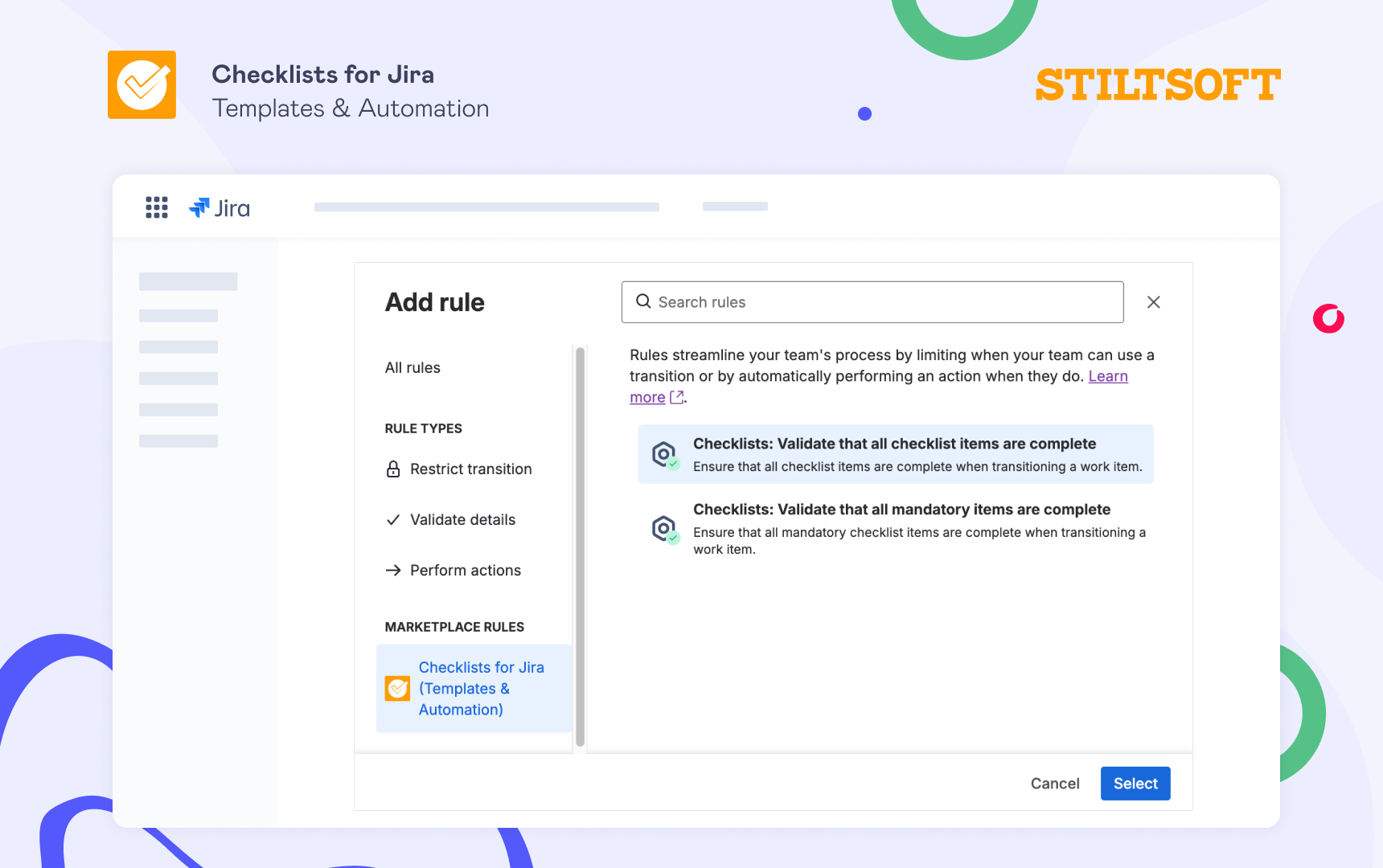
Tasks can move forward before key steps are complete, usually under time pressure. In such cases, validators will act as guardrails: they prevent Jira work item transitions until required checklist items are done. Validators are used not to slow teams down, but to ensure compliance with company standards and protect from mistakes that may require a lot of time and resources to correct.
By combining Jira Checklists with validators, the workflow itself helps teams maintain high quality and meet compliance requirements.
Assignees, due dates, and statuses to turn steps into action
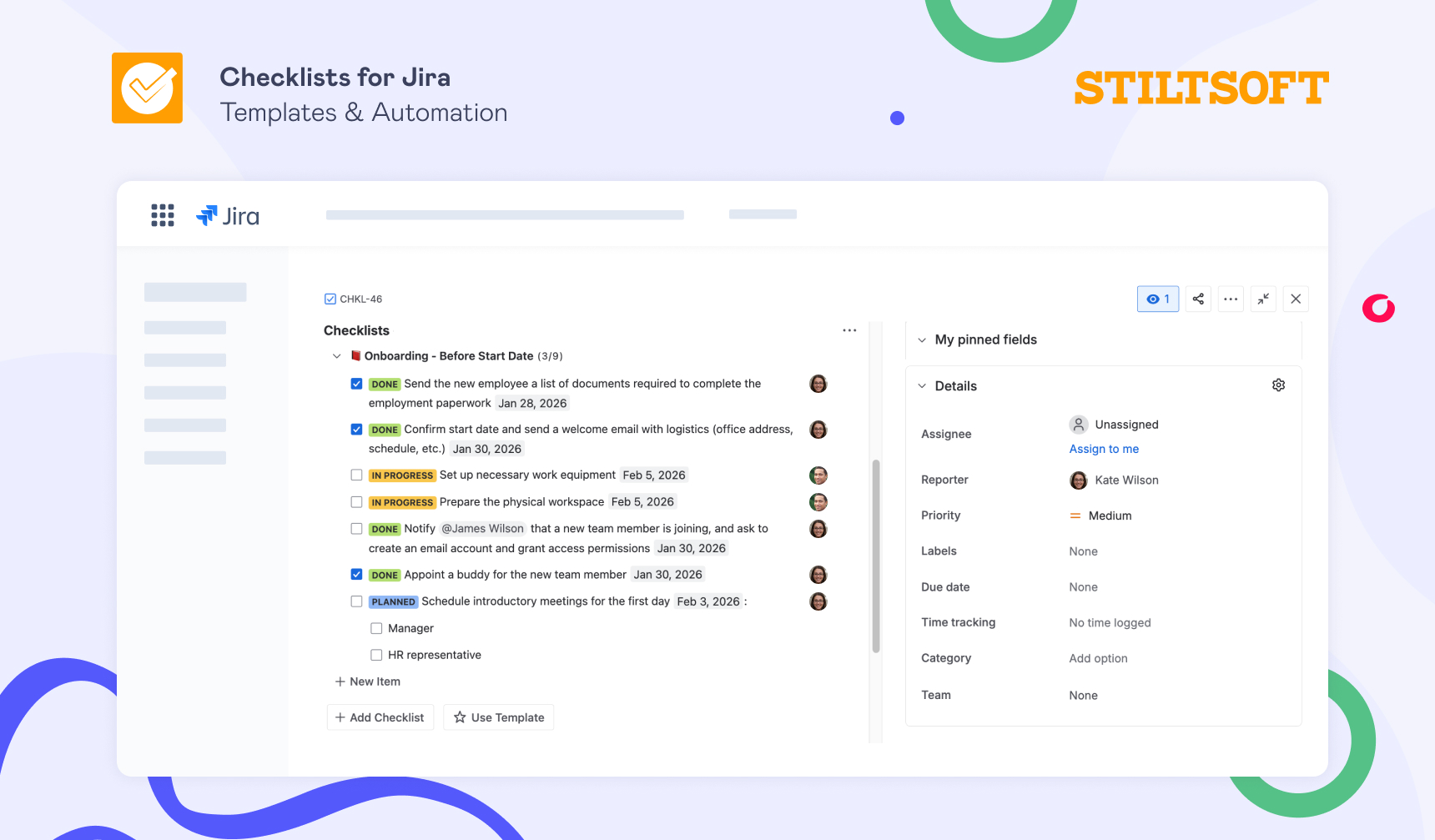
By adding assignees, due dates, and statuses, checklist items become actionable: responsibility is clear, progress is visible, and bottlenecks are easy to find at first glance, without endless meetings or follow-ups.
At this point, checklists stop being just a part of the documentation and become a part of the workflow. They help teams plan their work, keep track of their progress, and identify risks sooner.
Getting started with smart Checklists for Jira
Jira is not just a task tracker, it’s a tool for coordinating work across different teams, projects, roles, and time zones. But without smart checklists, part of that coordination still happens manually.
Checklists for Jira (Templates & Automation) help teams change that dynamic. They embed seamlessly into the workflow, reduce manual work, and encourage teams to follow the company’s standards and meet compliance requirements.
Try smart checklists in Jira free for 30 days and see how many hours per week you can save with its capabilities.