







How to Get Visualized Statistics of Git Repositories in Bitbucket

It’s exciting to see Atlassian taking a new step in developing Bitbucket by engaging Atlassian vendors in the creation of apps for this web-based source code management and collaboration solution. Our team is thrilled to be among the pioneers who will be contributing to enriching the functionality of this platform for the benefit of the Bitbucket community. We are happy to introduce Awesome Graphs for Bitbucket Cloud.
Contributors
The Contributors graph helps you analyze trends and compare the input from different people in terms of commits and lines of code.
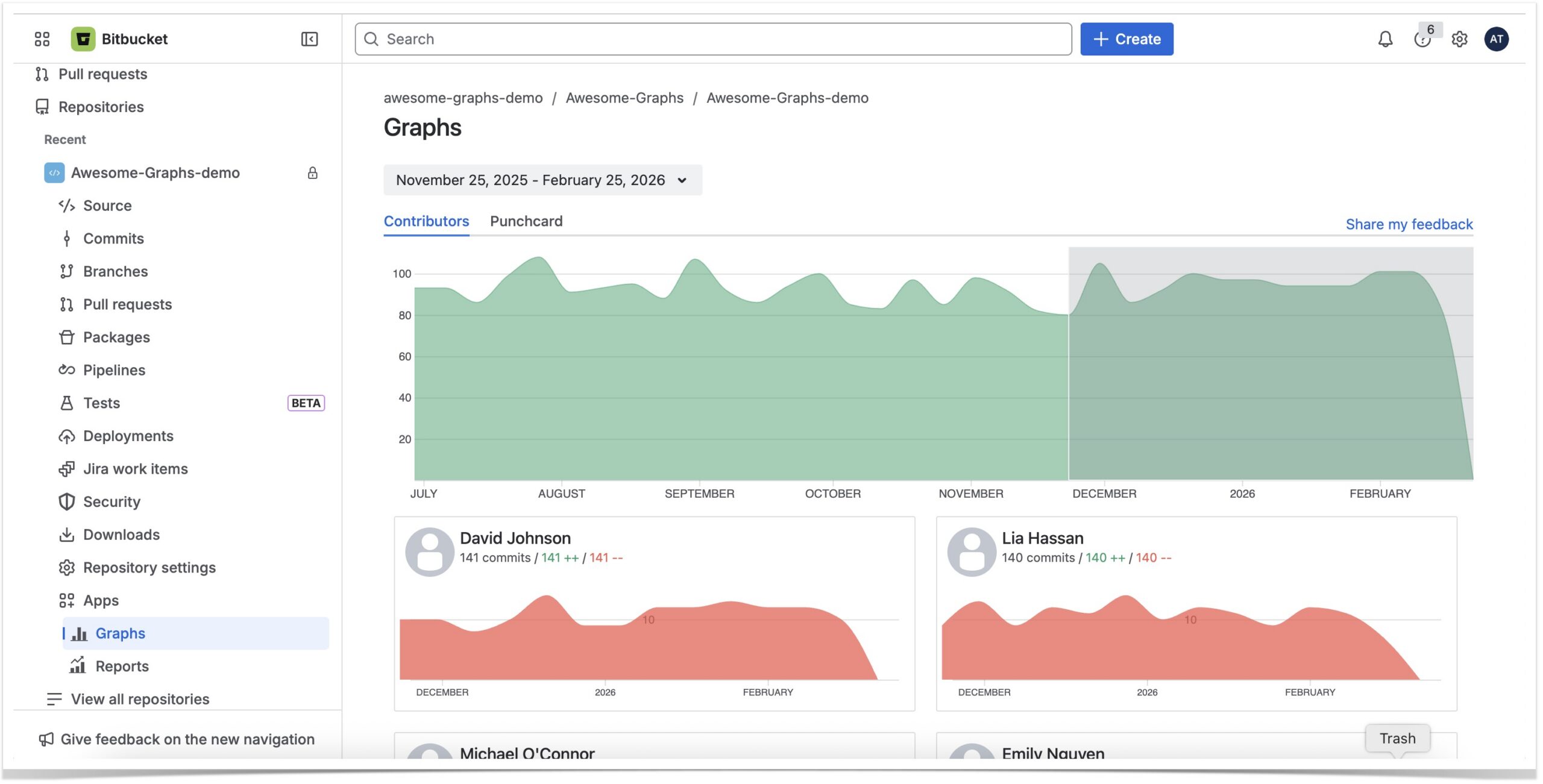
This graph visualizes the number of commits, lines of code added, and deleted in the repository. The cards below the graph represent the personal contributions of each developer with the total number of commits and lines of code made during the time span you select.
Punchcard
In the Punchcard tab, you can see the commit summary by day of the week and hour over the period starting from the first commit in this repository till now. For example, on the screenshot below, the “Thursday 2 pm” circle represents the total number of commits made on all the Thursdays from June 5, 2024, to June 5, 2025, from 2 pm to 3 pm. When you hover over a circle, you can see the exact number of commits made during that hour on that day.
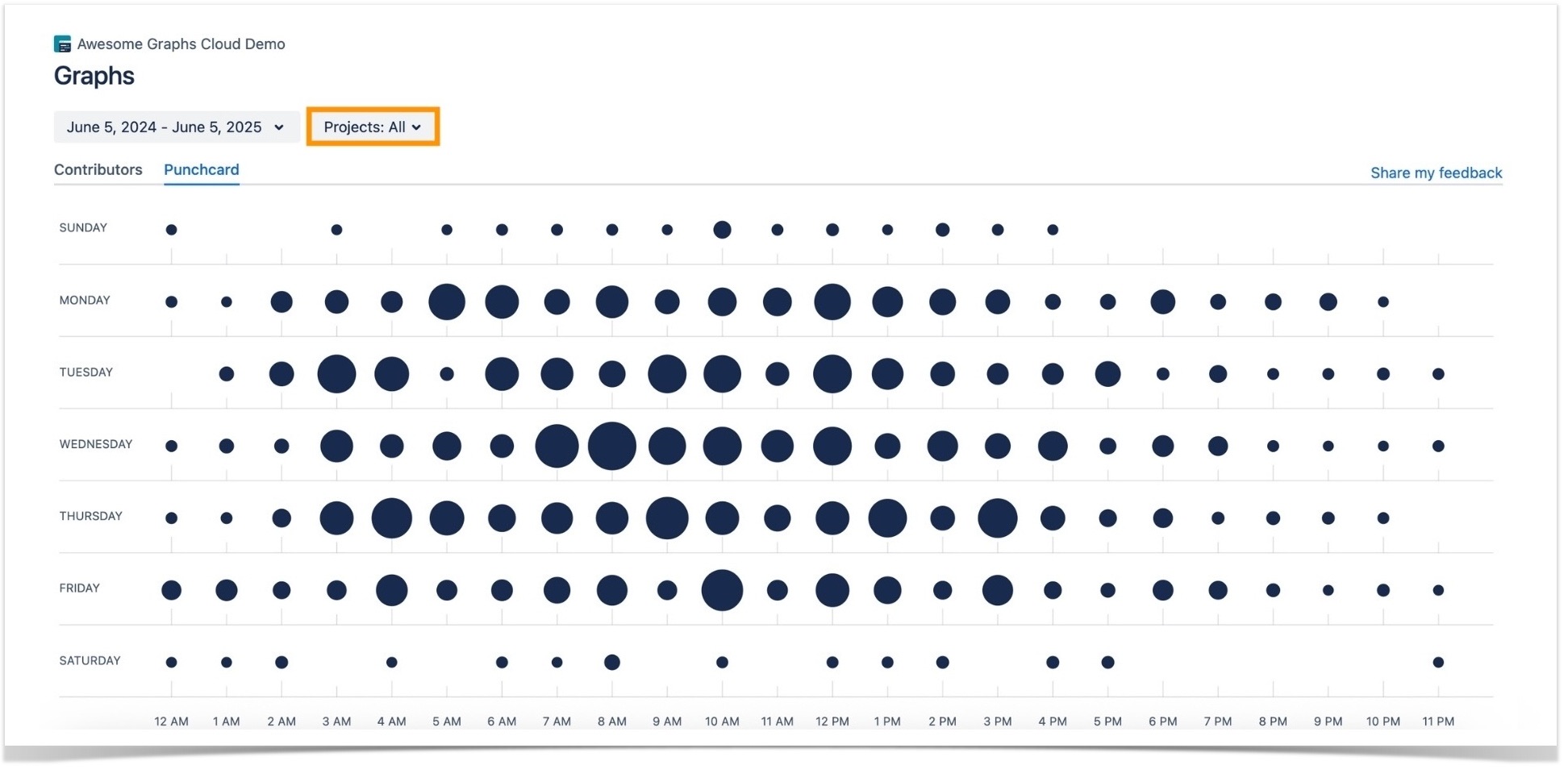
You can use this data to find out what hours of the week have been the most productive for your team. Moreover, your team can take advantage of this information to meet different goals.
As an option, it’s useful when planning work or searching for ways to improve team performance. For example, knowing the most productive hours of your team, you might want not to plan any distracting activities for those hours and let everyone focus on work. Or you can take a closer look at those top hours and try to figure out what conditions and factors could have contributed to that efficiency. These insights can help you learn what improves your team’s performance, using this knowledge to optimize working conditions if needed.
➡️ Learn about all the out-of-the-box reports available in Awesome Graphs Cloud.
Installing the app
To try the app, install Awesome Graphs from Atlassian Marketplace. When the installation is completed, you can start using the app, and a 14-day free trial will start automatically.
You can also read how other teams benefit from using Bitbucket in a bundle with Awesome Graphs: