







LaTeX in Confluence: How Technical Teams Write Formulas

There’s an interesting pattern you can’t help but notice when talking to engineering teams, research groups, or anyone who deals with formulas on a daily basis. They all like Confluence for what it is — a reliable hub for documentation. But when their work involves math and the use of LaTeX in Confluence, the tone shifts and you can hear things like: “We paste screenshots of formulas… It’s messy, and updating them is a nightmare.”
The reality is simple: Confluence works great for structuring information, but it wasn’t designed to handle math. The practical solution? Seamlessly expand its functionality with an app from the Atlassian Marketplace, such as LaTeX Math for Confluence, to bring clear and editable formulas to your documentation.
Working without LaTeX support in Confluence
Right out of the box, Confluence has no native support for mathematical expressions. That leaves teams juggling a mix of tools, workarounds, and screenshots just to get their formulas into a page.
And inevitably, documentation becomes scattered. Tiny edits require generating new images. And in long, evolving documentation — think algorithm specs, engineering notes, model architecture — this overhead compounds fast.
The irony? The people writing this documentation are usually the ones who value clarity and precision the most.
Why LaTeX in Confluence matters for engineers and researchers
Most engineers and researchers don’t need to be convinced that LaTeX is the standard for writing formulas. When you embed LaTeX in Confluence, the documentation transforms from “math as images” to math as part of the narrative.
Here’s why teams that brought LaTeX into Confluence rarely go back:
Clarity and consistency across the whole knowledge base
LaTeX produces clean notation that looks the same everywhere it appears. Everything feels unified, rather than a mix of old screenshots and compressed exports.
Formulas become easy to update
If an equation changes, you update the LaTeX code inside the page, not an image somewhere else. No uploading. No mismatched font sizes. No version confusion.
Engineers and researchers can focus on thinking, not formatting
Once formulas are no longer a blocker, the documentation flow becomes smoother. People write more, update more, and collaborate more naturally.
How to Use LaTeX in Confluence
Let’s move on to adding LaTeX to Confluence. As we already mentioned, the most reliable way to bring readable and editable formulas into your documentation is to use apps from Atlassian Marketplace that render LaTeX directly on Confluence pages.
One of them is LaTeX Math for Confluence, a powerful app developed by the creators of Table Filter, Charts & Spreadsheets (with over 15k installs). It is fully hosted on Atlassian’s infrastructure for security and renders formulas and equations directly on Confluence pages.
What actually makes the experience different?
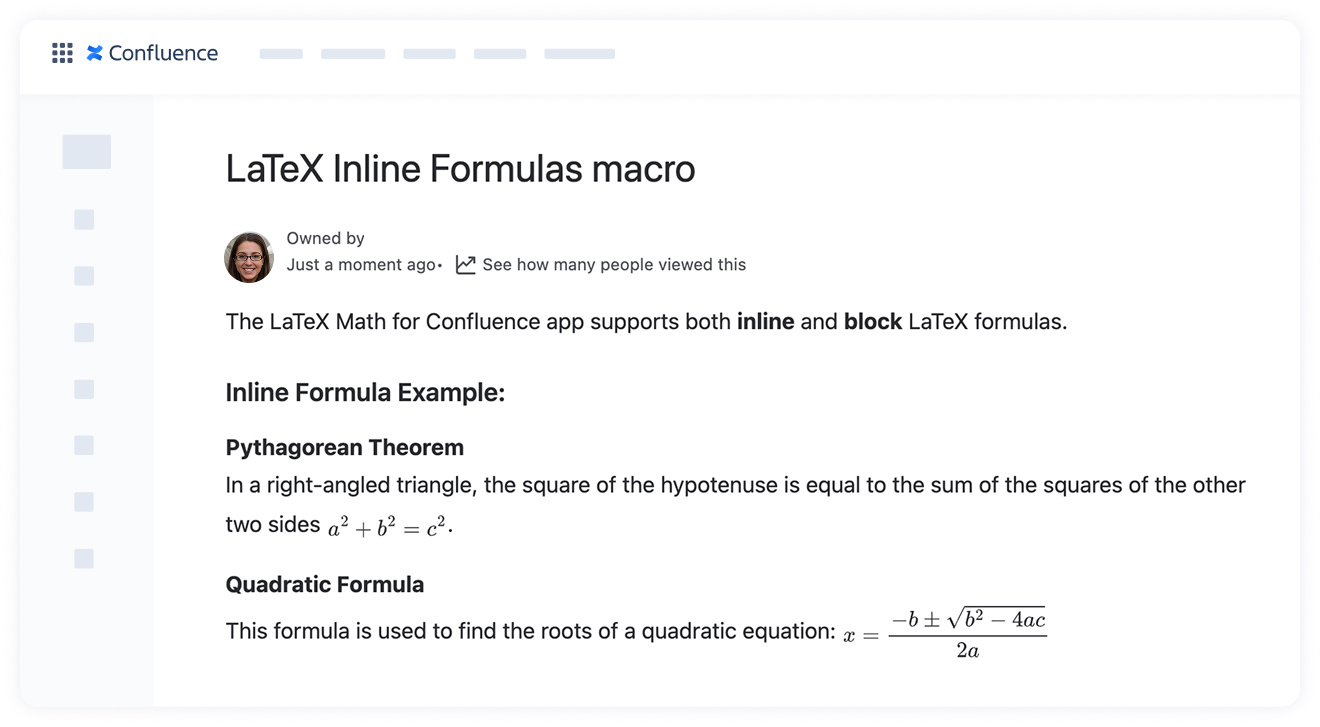
Inline formulas that feel seamless
Sometimes you just need a small expression within a sentence, like an exponent, an index, or a simple fraction. Being able to write them without breaking your flow is a subtle but noticeable improvement.
Block equations for more complex formulas
When the content requires emphasis — a derivation, a multi-line expression, a piecewise function — the block formulas macro format math expressions cleanly without manual spacing hacks.
For examples of LaTeX syntax and commands you can use in Confluence, see our tutorial on writing math equations in Confluence.
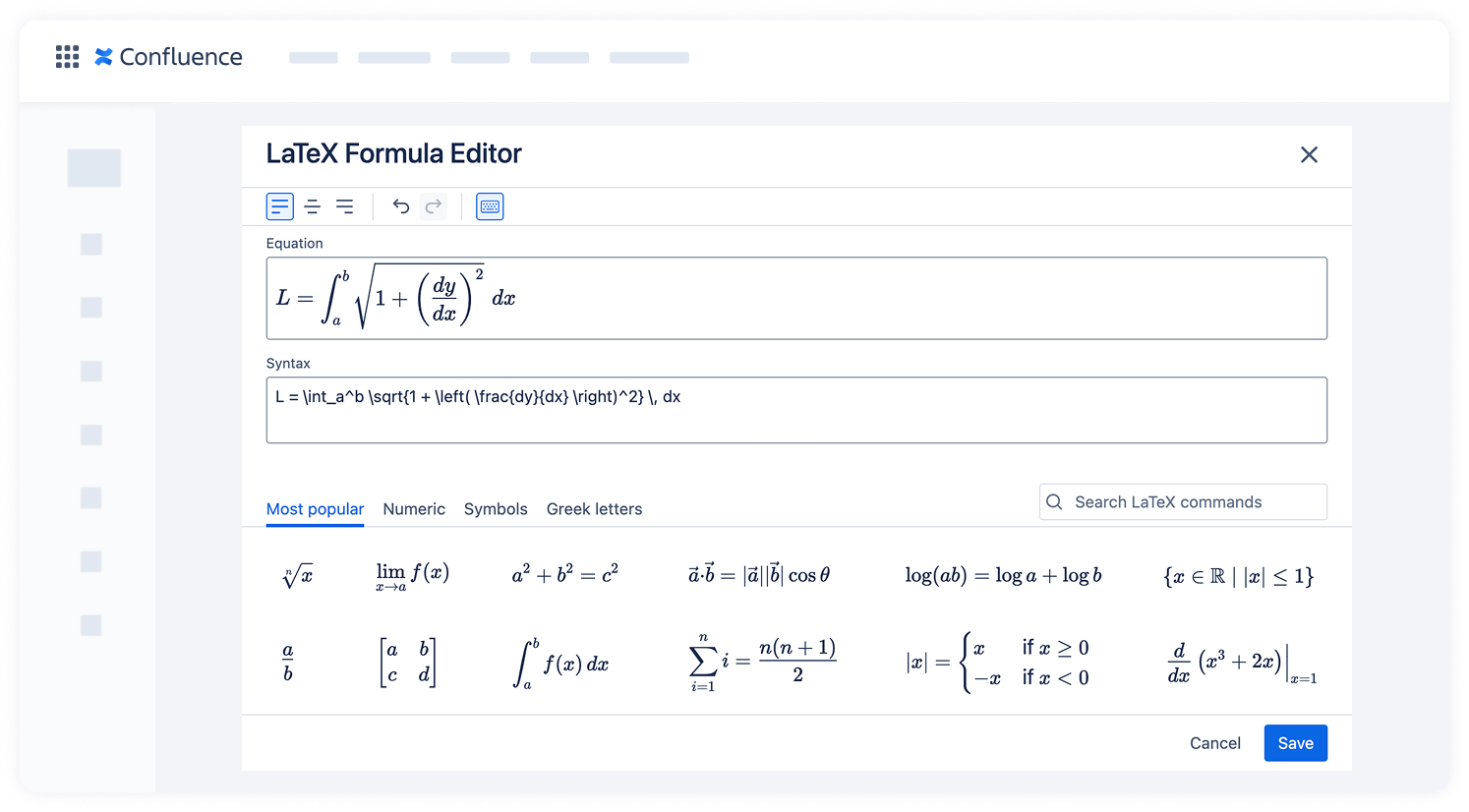
Live preview that saves time (and prevents mistakes)
One of the most common frustrations when writing LaTeX is the “write, guess, check, fix” loop. Seeing your formula update as you type removes the hesitation and speeds up the whole process.
Enterprise-friendly by design
Because the app is built on Atlassian Forge, formulas are rendered within the Atlassian environment — no data is sent to external servers. That’s an essential safety requirement for many large organizations.
Reliable exports to PDF
A small but important detail: exported documents maintain formula quality. No more pixelated math in client-facing reports.
How to start with LaTeX Math for Confluence
You don’t need training, guides, or long onboarding sessions. Teams start using the app the same day they install it.
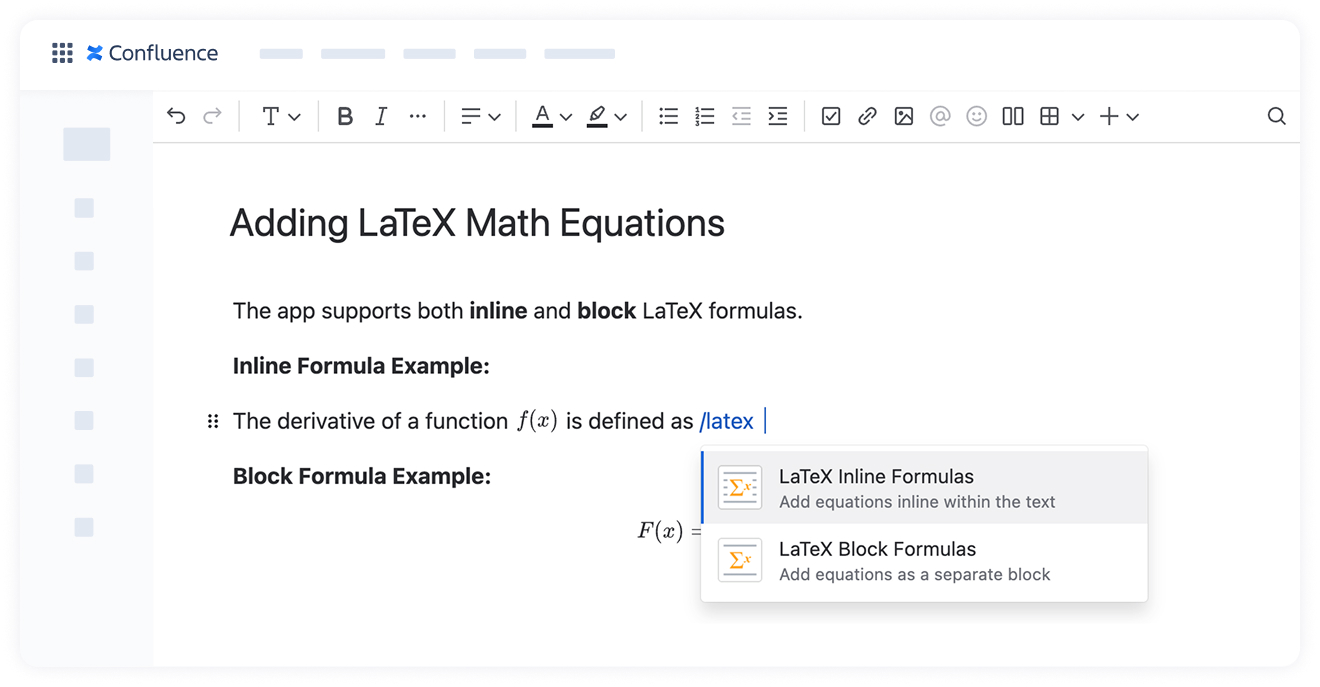
- Open a Confluence page
- Type /latex
- Choose the inline or block macro
- Add your formula
- Check the preview
- Save
That’s it. No complex configurations or syntax surprises.
For more details, you can have a look at our guide on adding LaTeX Math to Confluence.
Wrap-Up
Screenshots and external editors aren’t good enough for working with math content in Confluence on a daily basis. When documentation often changes, being able to add and edit formulas right on pages becomes a necessity.
LaTeX Math for Confluence provides teams with the clarity of LaTeX without requiring them to leave their current workspace. Documentation becomes cleaner, updates happen faster, and collaboration feels more natural.
If your team writes anything more complex than a simple equation, try using LaTeX Math for Confluence and see how your documentation was meant to work all along.