






Two-Minute How-to: Generating and Emailing monday.com Reports with AI Sidekick

Artificial intelligence is rapidly changing the way teams work, and monday.com has been actively embracing this shift by introducing AI-powered capabilities across the platform.
One of the most useful additions is AI Sidekick – monday.com’s built-in AI assistant that helps users analyze data, answer questions, and generate reports using simple natural-language prompts. Instead of building dashboards, configuring filters, or creating custom views, you can simply describe what you’re looking for and let Sidekick do the heavy lifting.
However, viewing a report inside an AI conversation is often only part of the process.
In many cases, the real goal is to share those insights with other people – colleagues, managers, executives, clients, vendors, or project stakeholders. And that’s where things become more complicated, especially when some recipients don’t have access to your monday.com account.
To solve this problem, we took things a step further and integrated Board Email Reports with AI Sidekick.
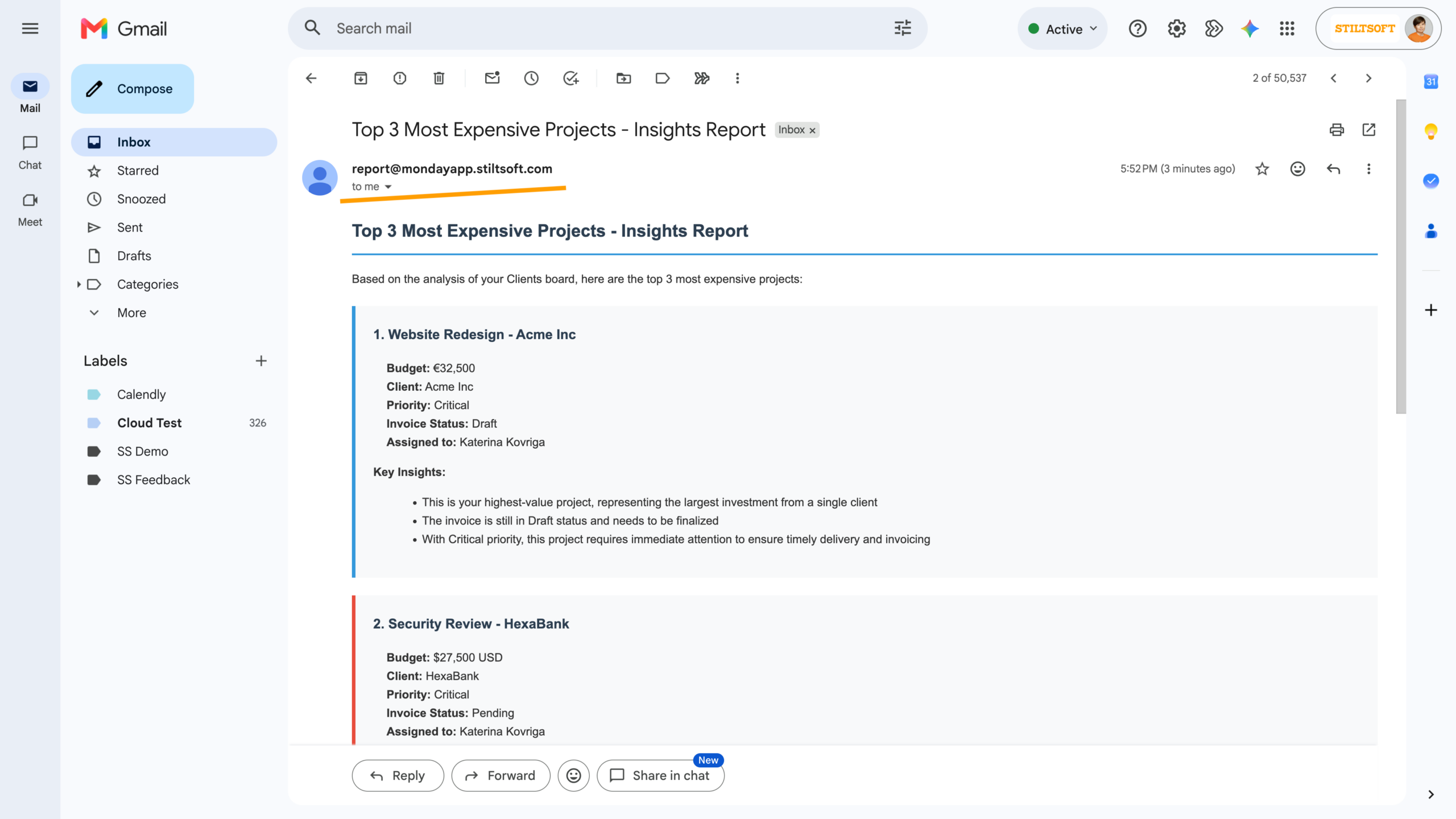
Now, after generating a report with AI Sidekick, you can send the results directly by email. Whether you’re sharing insights with your own team or with external stakeholders, recipients can receive a professional report in their inbox without needing access to monday.com.
Setting Up AI Sidekick Email Reports
Getting started is simple:
1. Open AI Sidekick in monday.com.
2. Enable the Send Email skill provided by Board Email Reports.
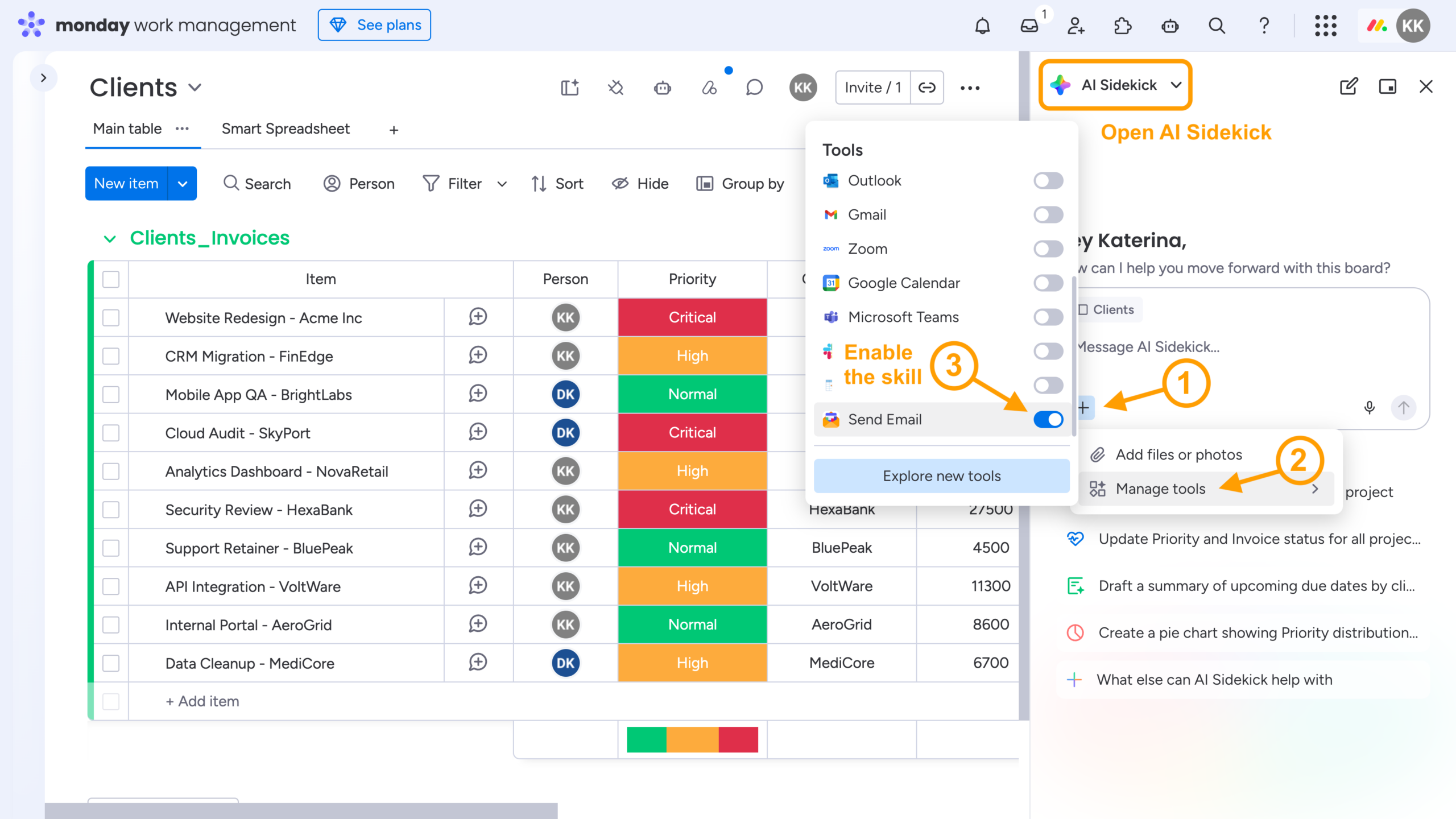
3. Enter a prompt describing the report you need, review the generated results, and send the report to your recipients.
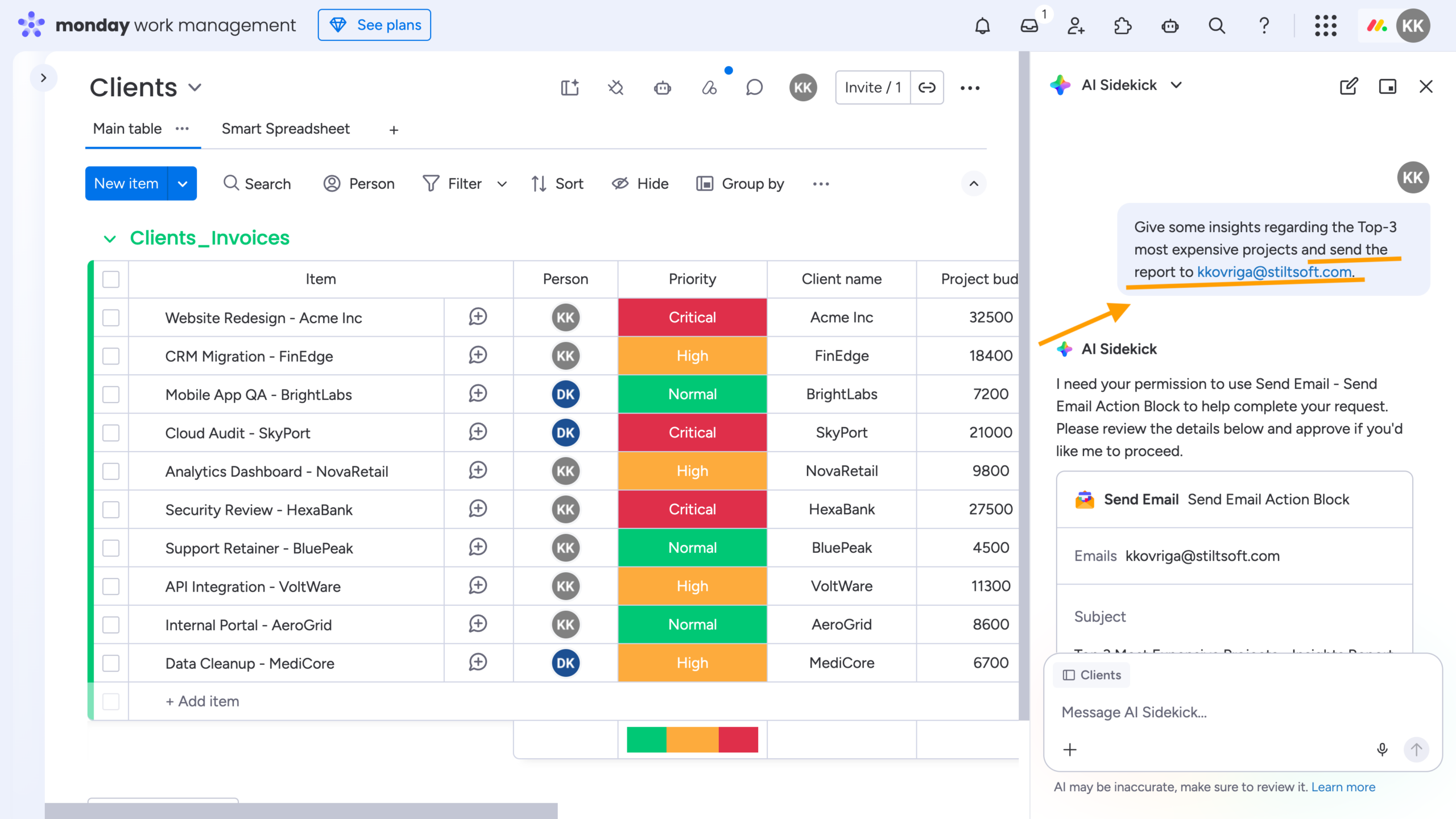
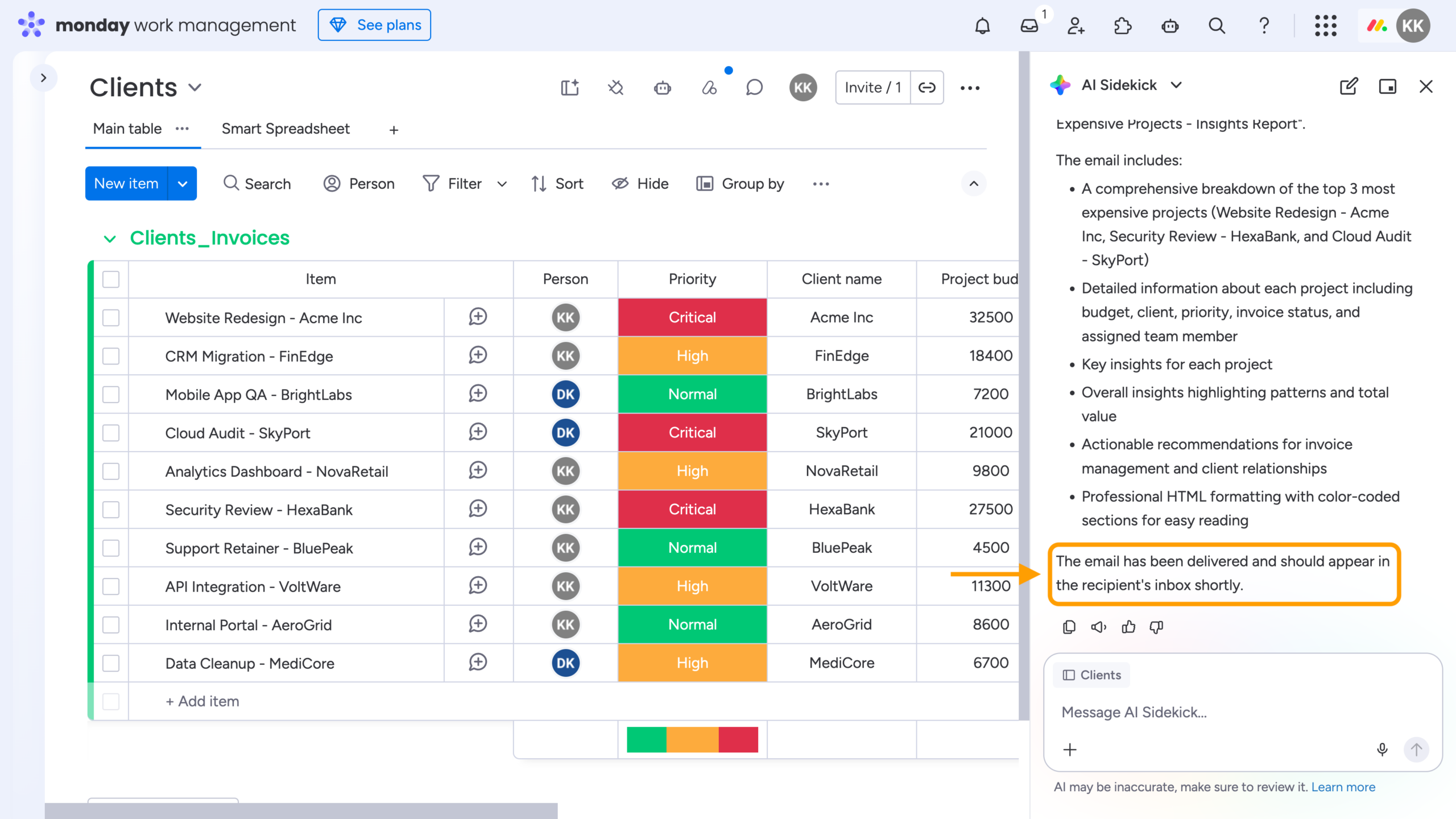
That’s it.
Within minutes, your stakeholders, clients, or team members receive a professionally formatted report directly in their inbox. Recipients don’t need access to your monday.com account, making it easy to share insights with both internal and external audiences.
Choosing Between AI Sidekick and Custom Reports
AI Sidekick and Custom Reports by the Board Email Reports app solve different reporting challenges, and many teams benefit from using both.
Use the AI Sidekick integration when you need:
-
One-time reports
-
Ad-hoc analysis
-
Answers to specific business questions
-
On-demand reports generated from natural-language prompts
Use Custom Reports when you need:
-
Recurring weekly or monthly updates
-
Trigger-based reports generated from predefined board events
-
Automated stakeholder communication
-
Consistent report formats
-
No manual intervention required
In practice, AI Sidekick excels at exploration. It allows you to ask questions, investigate trends, and quickly generate reports without any setup. Custom Reports, on the other hand, are ideal when you need repeatable, predictable reporting processes that run automatically.
A good example is Time in Status reporting.
With AI Sidekick, you can certainly ask questions about how long items spent in particular statuses. However, obtaining accurate results may require carefully crafting your prompt. For example, you may need to explicitly specify whether the analysis should use activity logs instead of daily snapshots, whether status transitions should be included, and what output format you expect.
Custom Reports (and the Time in Status/Status Changes report as well) provide a more structured approach. Once configured, they consistently generate the same metrics using predefined rules and layouts, making them particularly useful for operational reporting, SLA tracking, and regular stakeholder updates.
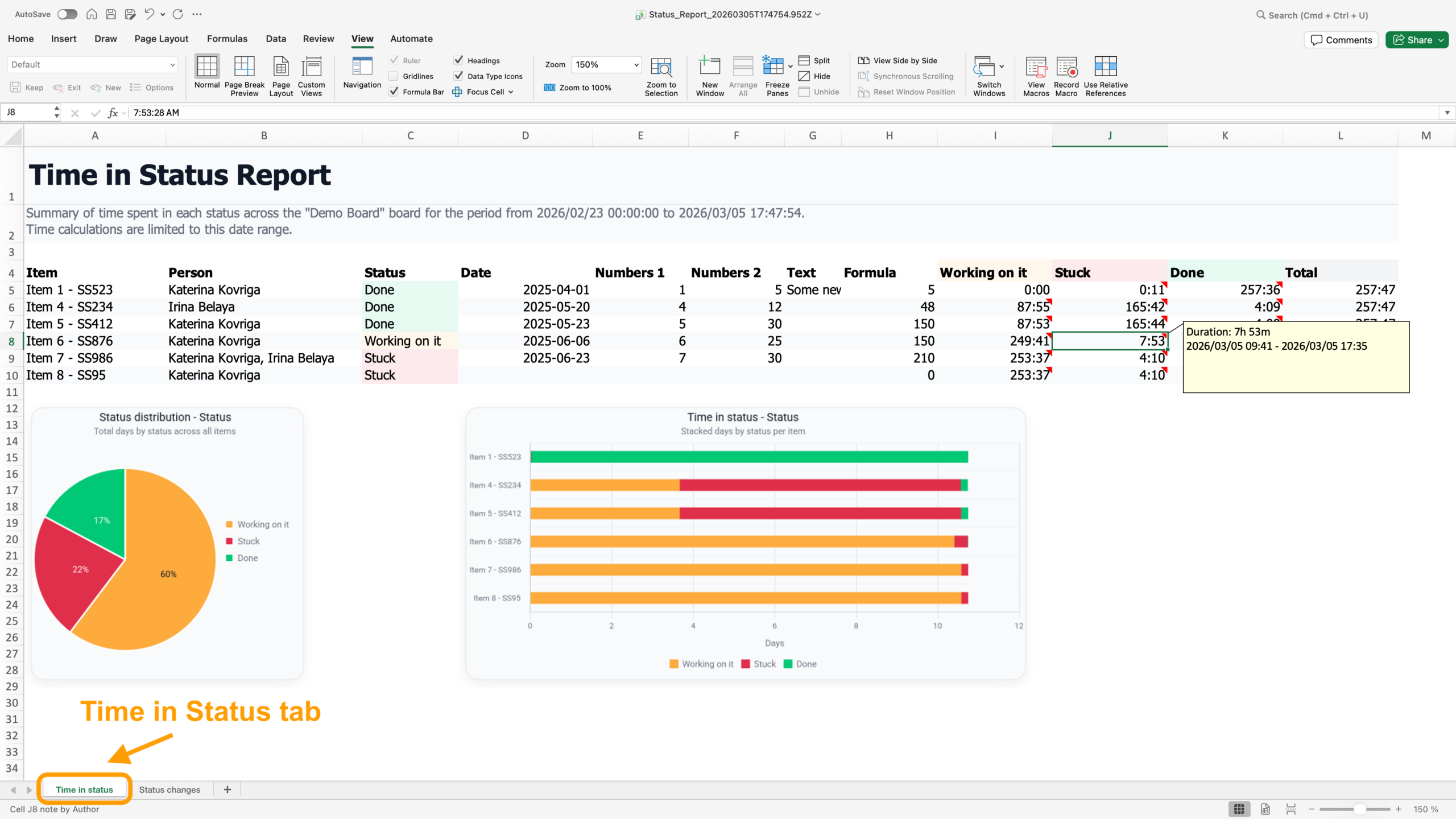
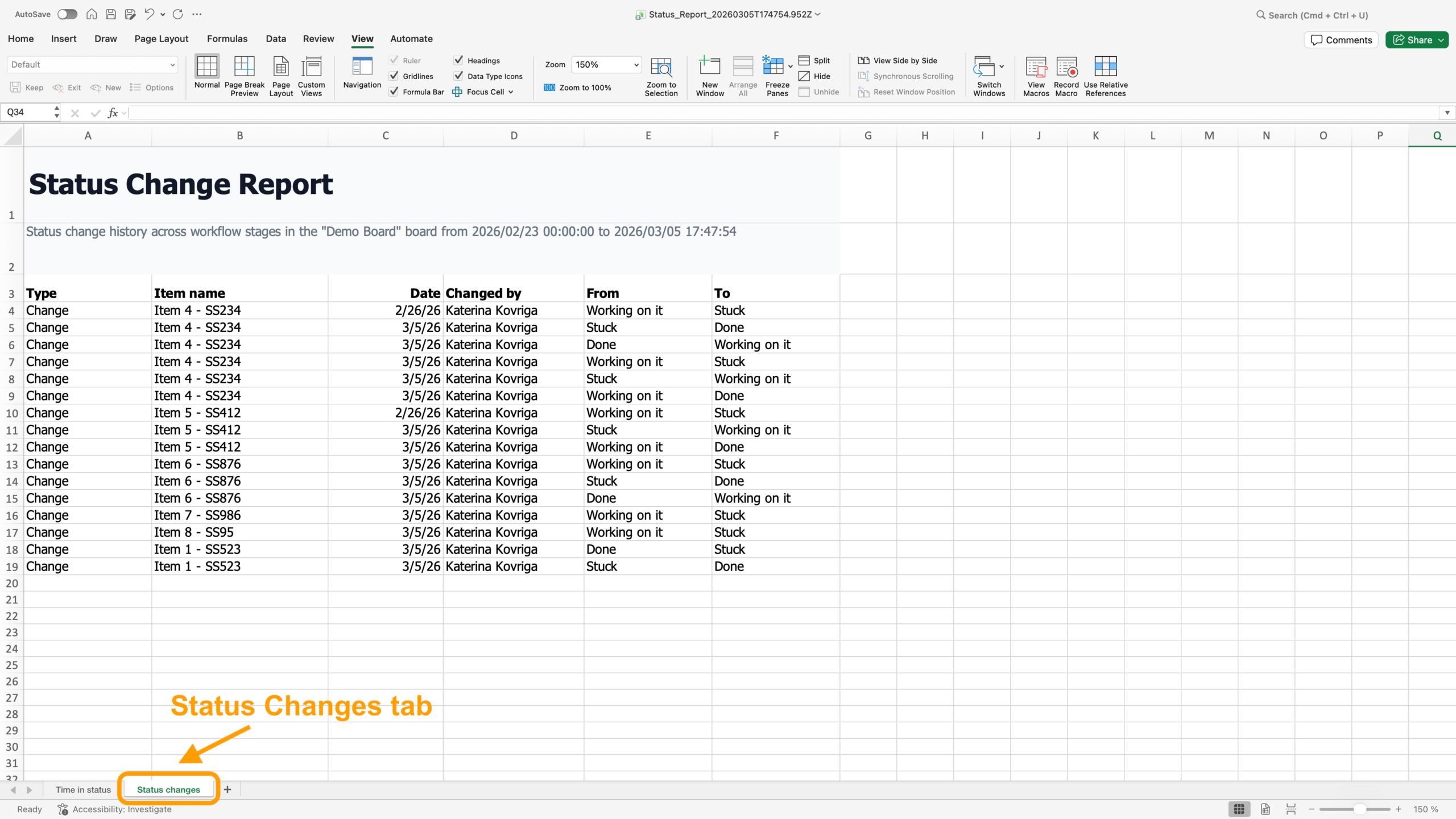
If your goal is to explore data and get quick answers, AI Sidekick is often the fastest option. If your goal is to deliver reliable reports on an ongoing basis, Custom Reports are usually the better fit.
Wrap-Up
AI Sidekick makes it easier than ever to analyze monday.com data and generate reports using simple natural-language prompts. By integrating Board Email Reports with AI Sidekick, you can take those insights one step further and deliver them directly to colleagues, clients, stakeholders, and other recipients by email.
Whether you need a quick one-time analysis or a fully automated reporting workflow, Board Email Reports helps you keep the right people informed without requiring access to your monday.com account.
FAQ
Can AI Sidekick generate reports in monday.com?
Yes. AI Sidekick can analyze board data and generate reports based on natural-language prompts. Simply describe the information you need, and Sidekick will create a report from your monday.com data.
Can I email AI-generated reports from monday.com?
Yes. With the Board Email Reports integration, you can send reports generated by AI Sidekick directly by email to one or more recipients.
The recipients do not need access to your monday.com account to view the report.
Can I schedule AI-generated reports in monday.com?
AI Sidekick is primarily intended for on-demand report generation. If you need reports to be delivered automatically on a schedule or when specific board events occur, Custom Reports by the Board Email Reports app are the recommended solution.