







Two-Minute How-to: Managing Insurance Workflows in monday.com

Agencies, brokerages, and insurance companies are among the teams using monday.com to manage leads, policies, clients, and day-to-day workflows. Agents, account managers, underwriters, and other insurance professionals often need to work with large amounts of data, calculate premiums, generate quotes and documents, and keep track of revenue – all while managing their workflows in one place.
For this use case, we’ve turned our clients’ best insurance practices into a ready-to-deploy workflow powered by Smart Spreadsheet. This isn’t just a basic board – it’s a connected ecosystem. It links multiple boards, brings local Excel data into the workflow, enables advanced in-app calculations, automates standard document generation, and feeds into a real-time revenue dashboard. It’s everything you need to streamline your insurance pipeline, save hours of manual work, and reduce the risk of calculation errors.
To add the Insurance Pipeline Template to your workspace, go to the Template Center, find it, and select it just like any other predefined template.
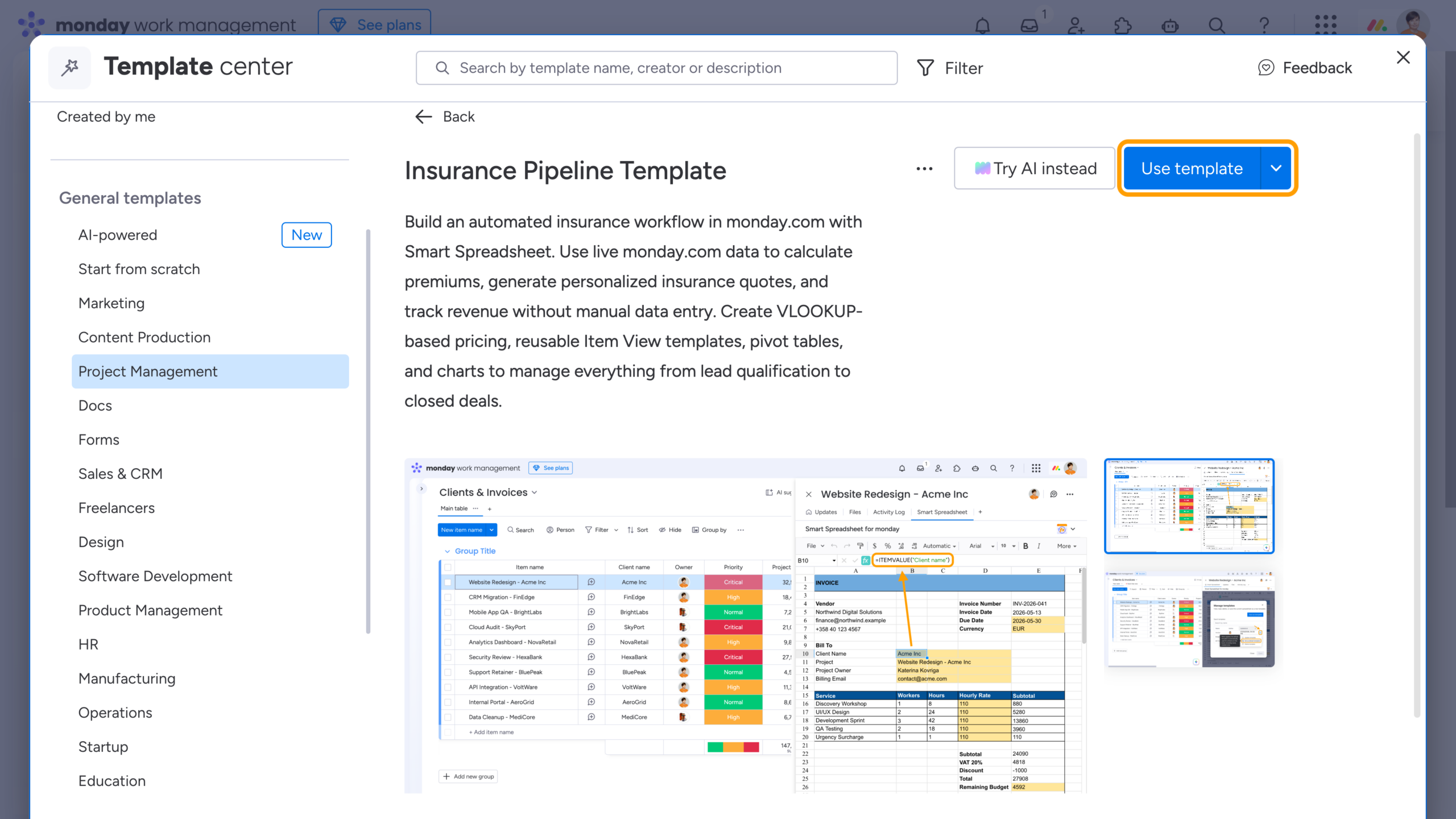
Now let’s see what you get with the Insurance Pipeline Template.
Automated Premium Calculation
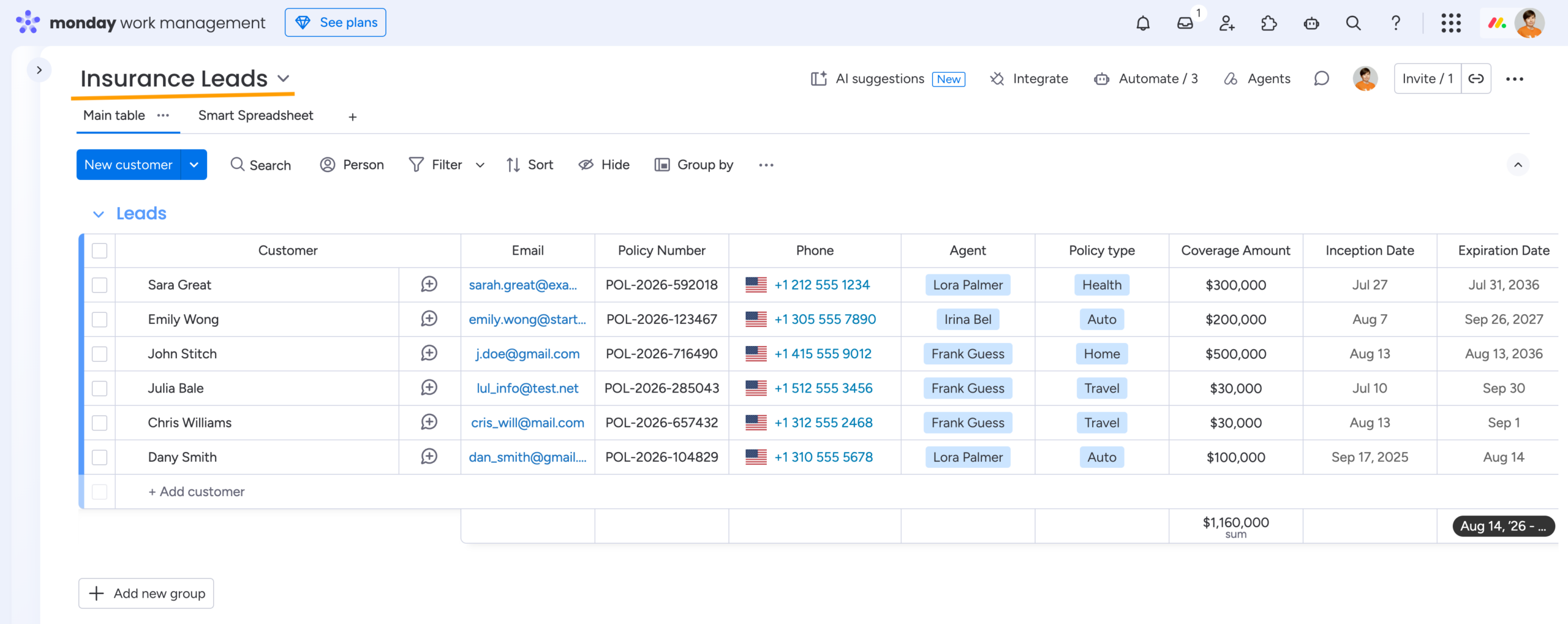
After applying the template, you’ll see the Insurance Leads board with a predefined structure – a setup commonly used by our customers to manage their leads. You can customize the board and add your own data just as you would with any native monday.com template.
Next, open the Smart Spreadsheet board view. You’ll see that the columns needed for further calculations have already been imported from the board. The data is live and synchronized in both directions, so you can add or update values either on the board or directly in the spreadsheet.
The Rates sheet serves as a reference table containing Base Rates based on Policy Types and Multipliers based on Risk Levels. You can create and fill this table manually or import it into the spreadsheet from a local Excel file.
Using the familiar Excel VLOOKUP formula, Smart Spreadsheet calculates the premiums based on the relevant policy and risk data. The calculated values are pushed back to the monday.com board and synchronized with the spreadsheet.
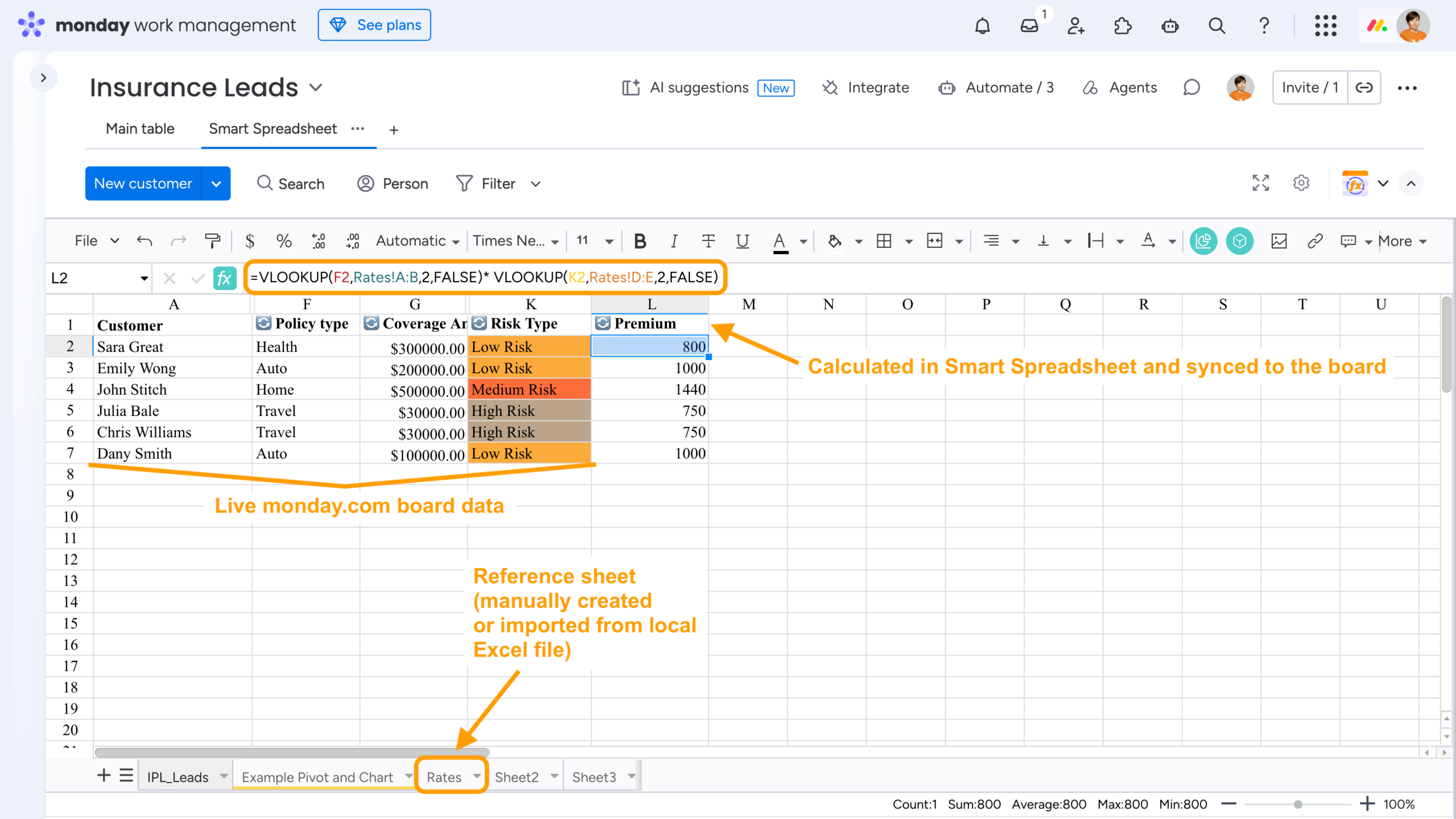
This setup eliminates the need to switch between different tools. You can perform complex Excel-style calculations directly in Smart Spreadsheet while keeping your monday.com board and spreadsheet view connected and up to date. As a result, there’s less manual data entry and less risk of calculation errors.
Instant Insurance Quote Generation
To generate an insurance quote, policy, or any other repetitive document with the same structure but different values for each lead, open the Item View of an item on the board and locate the Smart Spreadsheet view. You’ll see a quote populated with the corresponding lead data. A default Smart Spreadsheet template is automatically applied to every item, so all existing and future leads get a document with the same standardized structure. You can learn more about Smart Spreadsheet templates and how to manage them in our documentation.
The key to generating documents from live item data is the ITEMVALUE() formula. It pulls values from specific fields of the item and keeps them synchronized with the board, so the document always reflects the latest information.
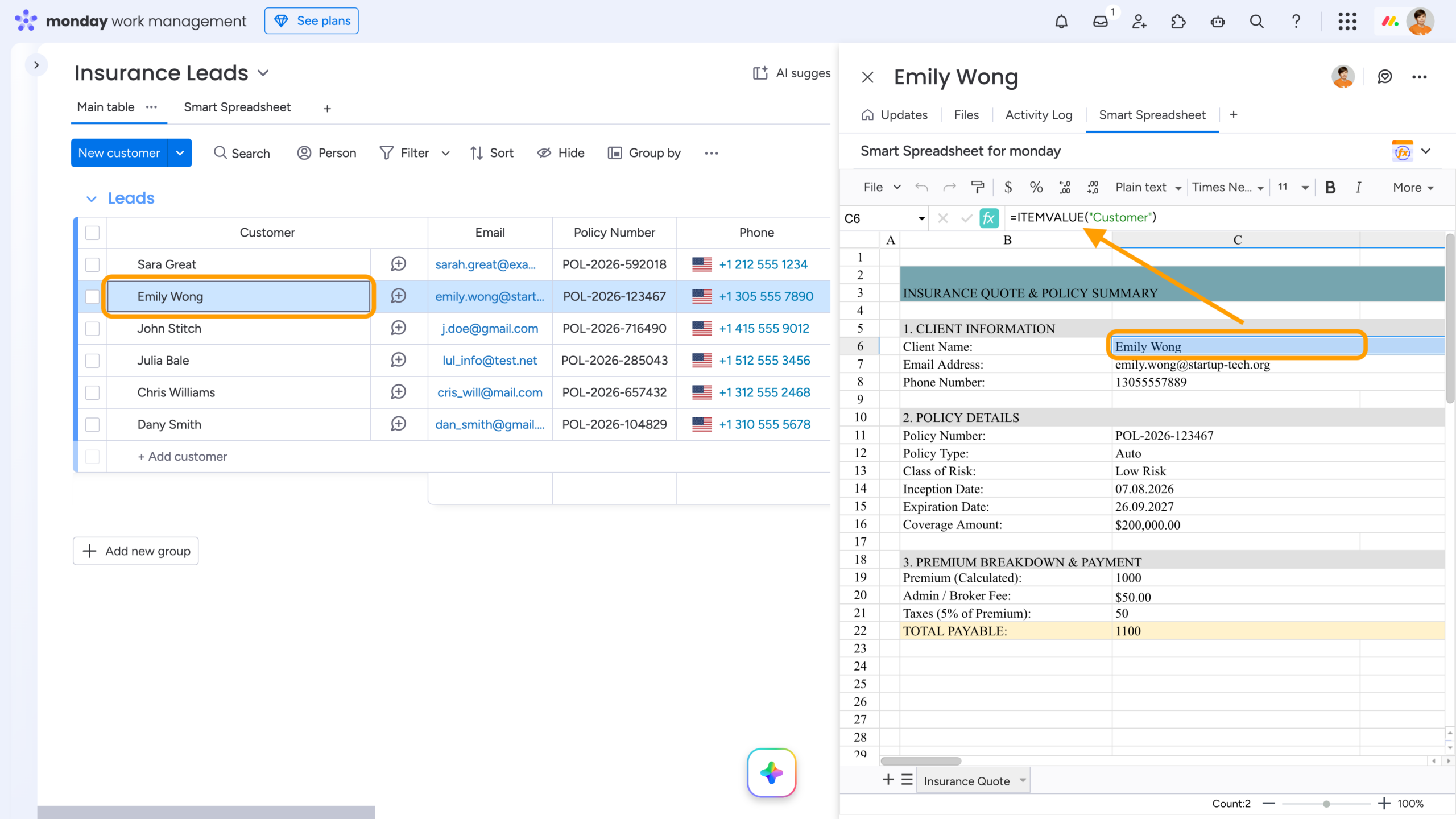
This setup only requires you to configure the template once. After that, it is automatically applied to all existing and future items, saving hours of manual copy-pasting, especially when you’re working with hundreds of leads whose details may change over time. Automating the document generation process makes it easy to keep every quote consistent and up to date.
Revenue Analysis and Custom Dashboards
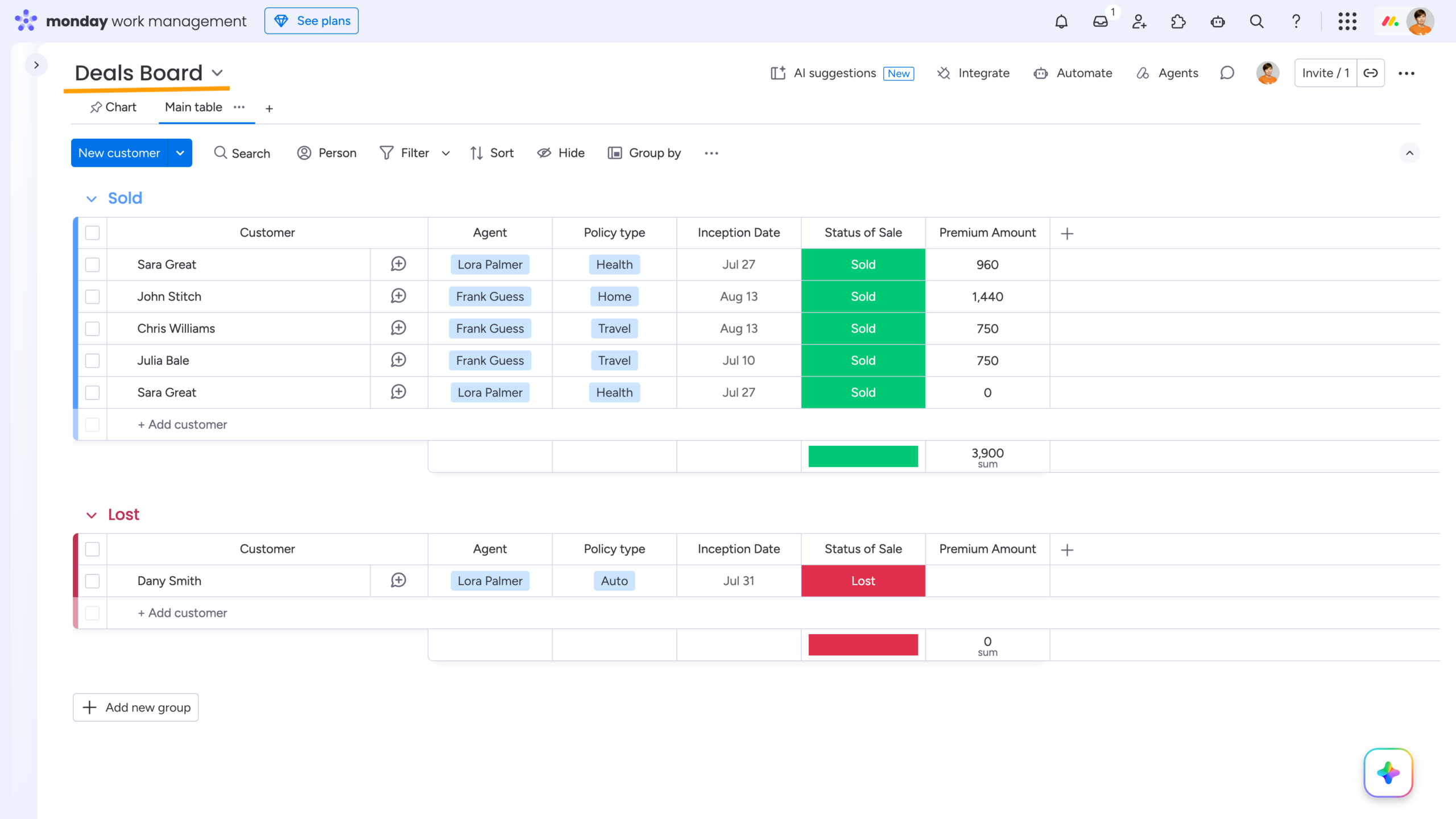
The Insurance Leads board also includes several predefined automations. Two of them use native monday.com functionality: when a lead’s Status changes to Sold or Lost, the system automatically creates an item in the corresponding group on the Deals board. This keeps your active quoting pipeline clean and moves closed deals into a dedicated space for revenue analysis.
On the Deals board, you can open a pinned Chart view and access the Smart Spreadsheet Widget. There, you’ll find an Excel-style Pivot Table based on live board data, along with a chart built from it. For example, you can calculate metrics such as Agent Commissions directly in the widget.
If you need more analysis, you can add extra sheets to the same widget and build additional calculations, Pivot Tables, and Charts using the live board data.
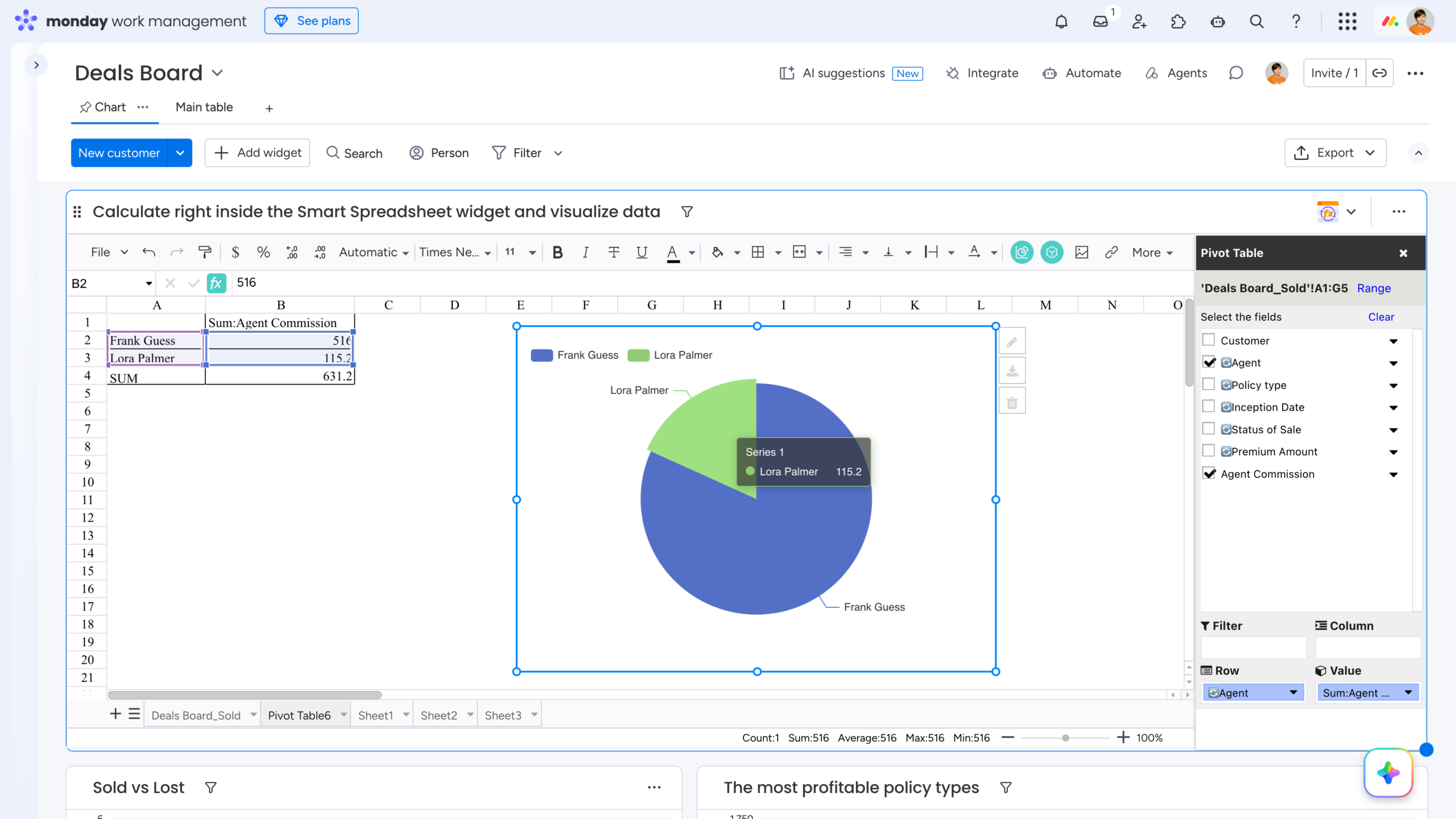
This setup lets you perform advanced analysis directly on your board data, without exporting it to another tool. Use Excel-style formulas and Pivot Tables to calculate the metrics you need and turn them into visual reports for your stakeholders and team members.
Report Delivery and Snapshots
The third automation on the Insurance Leads board is powered by Smart Spreadsheet and automatically sends a selected spreadsheet view as an .xls report to a specified list of email recipients. You can trigger the report when a specified condition is met or set it to run at regular intervals.
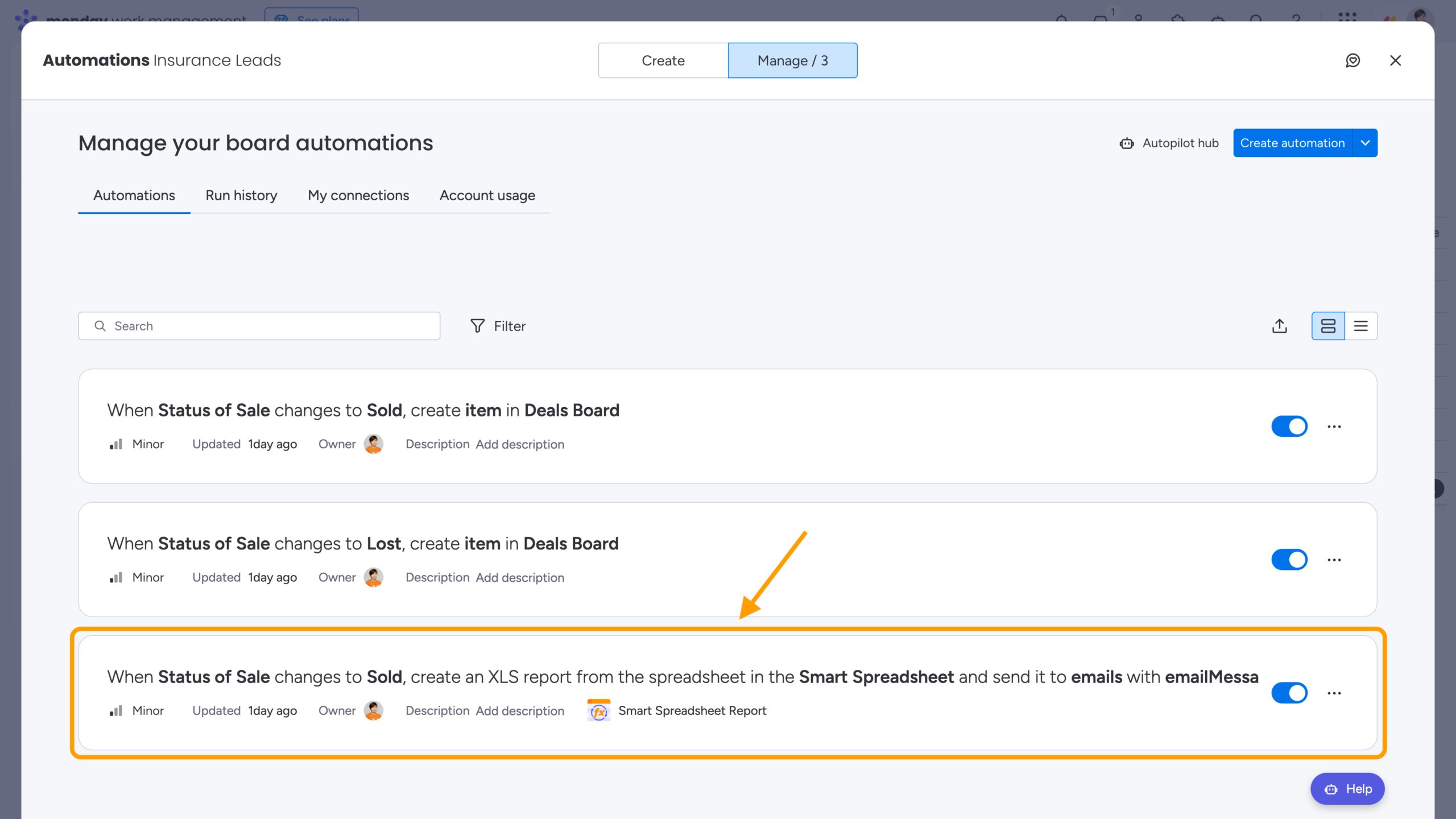
This setup allows you to automatically deliver the right data to stakeholders, managers, or teammates without giving them access to your monday.com account. You can also use scheduled reports as historical snapshots to track your team’s progress and keep a record of how your data changes over time.
Wrap-Up: Transform Your Insurance Pipeline Now
With the Insurance Pipeline Template, you can turn monday.com into a connected hub for your entire insurance workflow – from managing leads and calculating premiums to generating quotes, analyzing revenue, and automatically delivering reports.
By combining native monday.com features with the advanced spreadsheet capabilities of Smart Spreadsheet, the template helps you automate routine processes, reduce manual data entry, overcome native formula limitations, and keep your workflow connected in one place.
From the first lead to the final revenue analysis, your insurance process becomes more centralized, automated, and easier to scale.
Ready to put this workflow into practice? Install Smart Spreadsheet from the monday.com Marketplace and launch the Insurance Pipeline Template in just a few clicks.
FAQ
Does ITEMVALUE() pull data from the current item only?
No. Depending on the parameters you specify, ITEMVALUE() can pull data from any item on any board. It also works across different Smart Spreadsheet views, including board, item, and dashboard views. This means you can use it to pull live board data even into a Custom Object, which works as an independent property.
Can I create my own templates?
Yes. You can create templates from a Smart Spreadsheet view using Template Manager (File → Template). Alternatively, you can create a template using the standard monday.com template functionality. In this case, the template will appear in the Template Center and include the entire board setup, including all Smart Spreadsheet views created on the board.
What if I need other types of predefined templates for my workflows?
Contact our support team – we’d be happy to learn more about your repetitive workflows and use cases. Templates built around them could help other monday.com and Smart Spreadsheet users as well.