







10 Confluence Best Practices Your Users Should Know

It only takes a few seconds to create a page in Confluence, which is exactly why documentation can get messy. Without a few shared habits, content piles up, pages duplicate, and people stop trusting what they find. The good news is that with a clear set of guidelines, you can keep your documentation organized and genuinely useful. Below are 10 Confluence best practices that cover structure, formatting, and day-to-day usage of Confluence Cloud.
Key takeaways
- Structure first. Organize spaces by team or project, use consistent naming conventions, and group related pages under clear parent pages.
- Use templates to keep pages consistent and save people from starting from a blank page every time.
- Lean on macros — built-in ones cover the basics, and the Atlassian Marketplace fills the gaps.
- Keep technical docs clean by adding editable LaTeX math formulas instead of pasting screenshots.
- Avoid duplicate content with Synced blocks instead of copy-pasting.
- Make your pages interactive so you can update a page from view mode in one click with Handy macros.
- Label consistently, so the content is easy to group and find.
- Manage permissions carefully and keep the number of admins small.
- Train your users. Good structure only holds up if everyone follows the same rules.
1. Plan your space and page structure
Structure is the foundation of any usable documentation, and it works top-down: first your spaces, then the pages inside them.
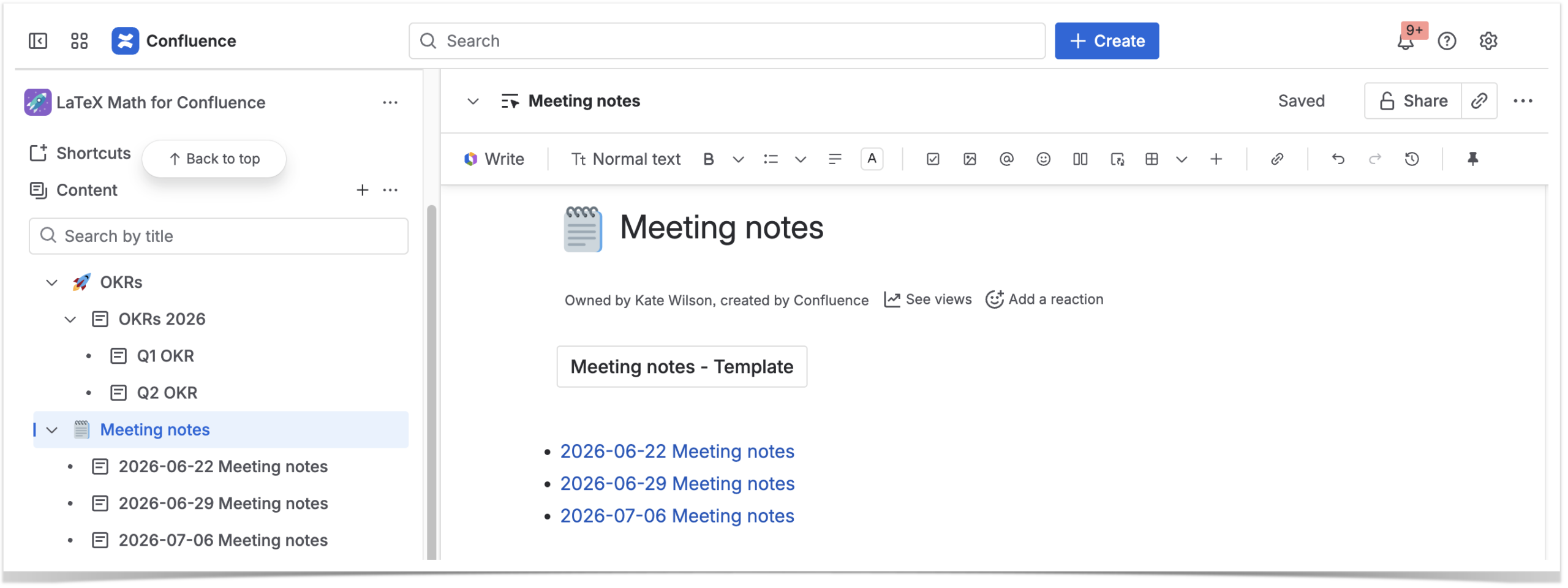
Spaces are the big folders that hold everything else. A reliable rule of thumb is one space per team (Finance, Marketing) or per project/product — for example, like at our company, Table Filter for Confluence or Awesome Graphs for Bitbucket. Mixing both is fine as long as it’s intentional. What you want to avoid is dozens of overlapping spaces where no one is sure which document belongs where.
Inside each space, set up a clear page tree so content is grouped by subject. When the hierarchy is logical, people find what they need without searching. When it’s flat or chaotic, even good content gets lost. When your tree gets several levels deep, the Child items macro lists subpages, so readers don’t have to expand the whole sidebar to find one.
2. Make content easy to find (for people and AI)
Use consistent naming conventions: boring, predictable page and attachment names beat clever ones every time, because they’re easier to scan and to search. The bigger your documentation, the more findability becomes the real test of good structure. In 2026, the most effective knowledge bases are organized around what users are trying to do — clear categories and tightly scoped pages help people, as well as AI like Atlassian Rovo, to find the right answer faster.
3. Use page templates
Confluence ships with a large library of templates — for meeting notes, decision records, how-to articles, product requirements, and much more. The payoff is consistency without the manual work: pages of the same type look and read the same way, and nobody starts from a blank page.
You can also create your own templates and make them available across a space. To point people toward the right starting point, add the Create from template macro to a space home page — one click, and they get a page with the correct structure.
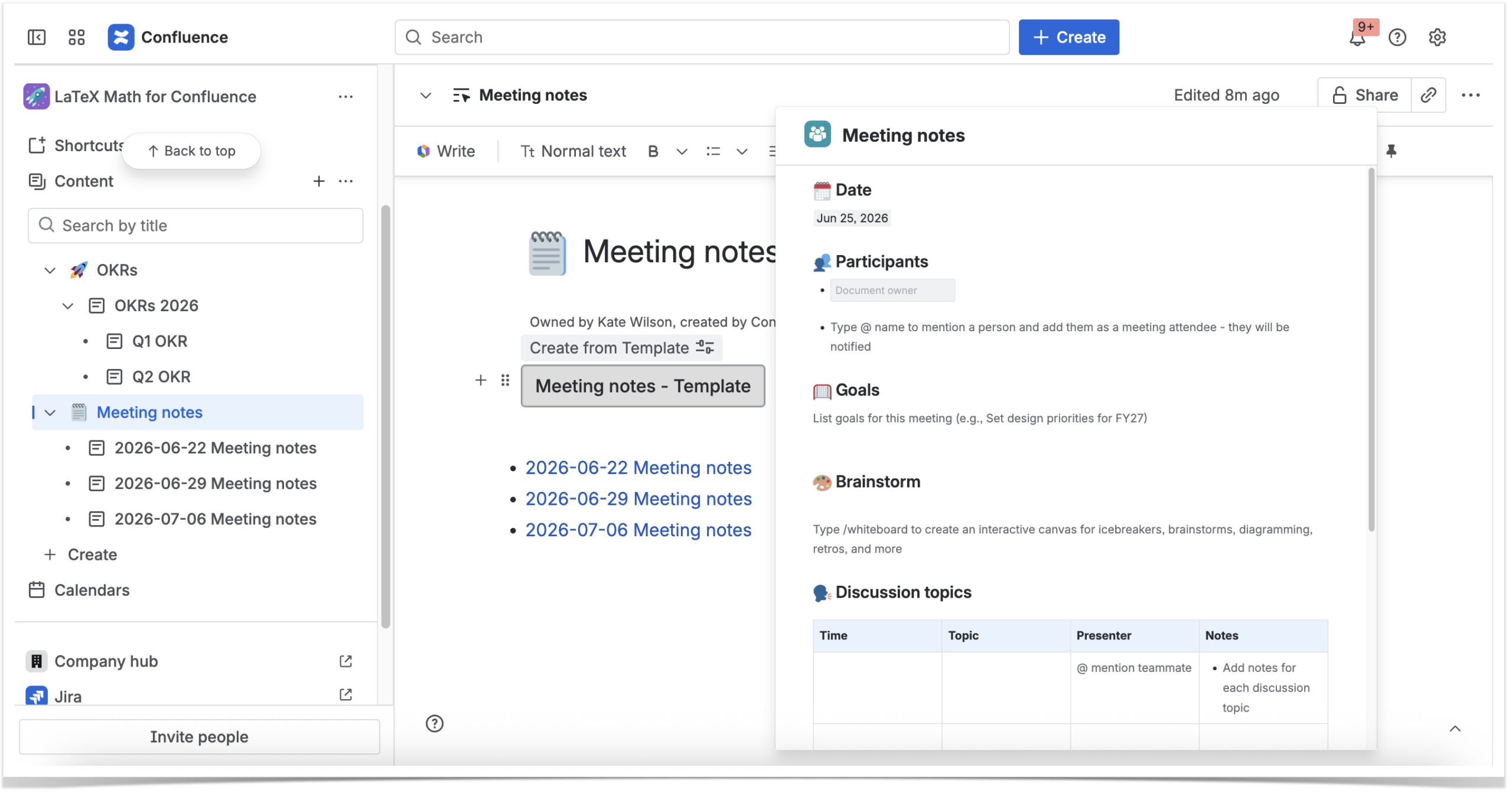
However, a template only helps if people reach for it, so it’s worth showing new users which ones exist and when to use each.
 Quick Tip
 Quick Tip
 You can also structure your content as training materials for onboarding or internal education with IZI for Confluence.
4. Take advantage of built-in macros and Marketplace apps
Macros are what make Confluence pages go from static documents to structured, dynamic content. Confluence Cloud includes a solid set of built-in macros, and the Atlassian Marketplace adds hundreds more, from diagrams to advanced table formatting.
A few built-in ones that really help readability: Table of contents on long pages, Expand to hide details not everyone needs, and Anchor links to jump straight to the needed section.
5. Keep technical pages clean
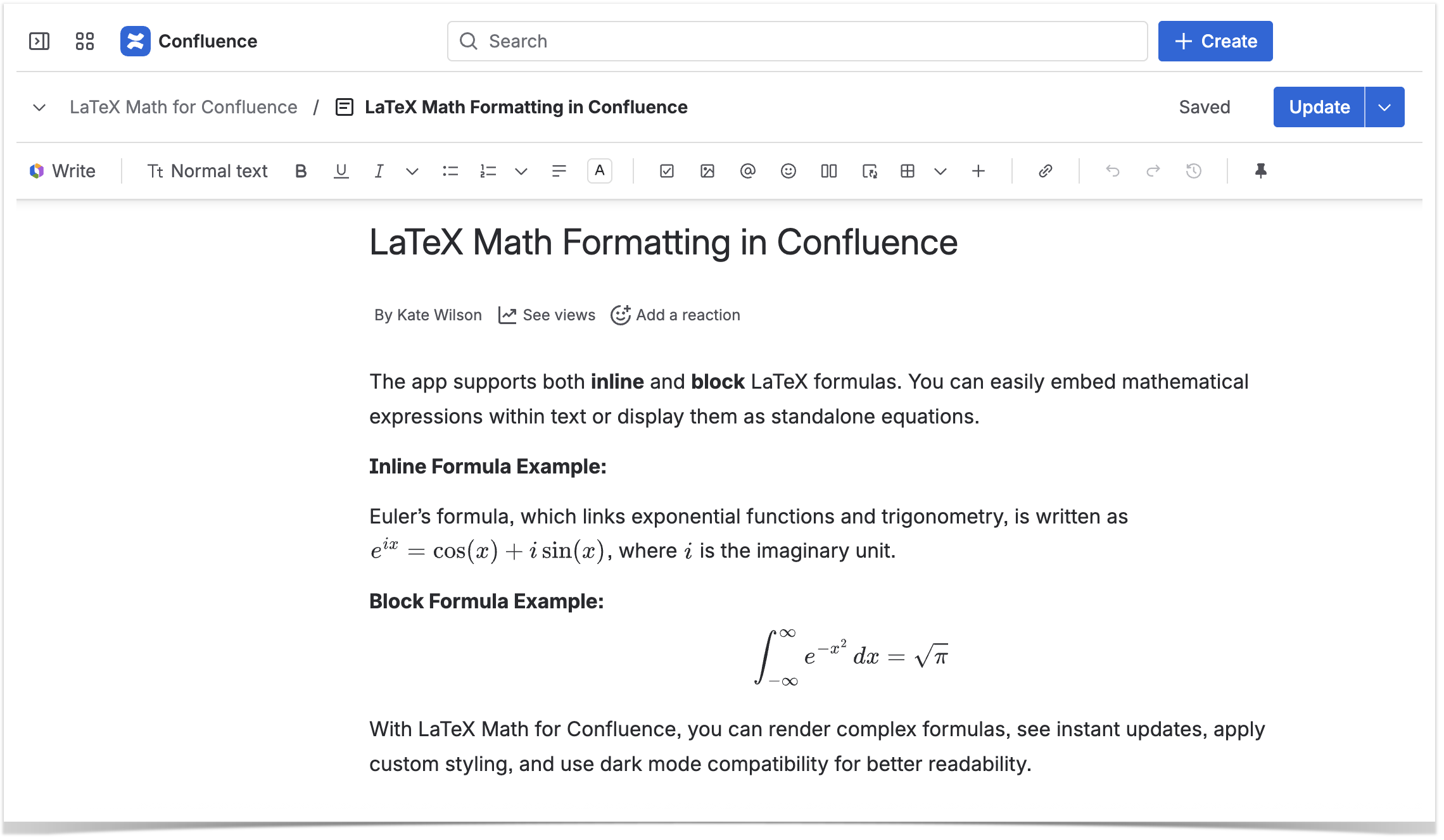
If your team writes anything technical — engineering specs, research notes, finance models, data science docs — you’ll hit one of Confluence’s gaps: there’s no native way to write math formulas. People end up pasting blurry screenshots that look bad and can’t be edited.
LaTeX Math for Confluence helps render LaTeX and AsciiMath formulas directly on the page, with PDF and Word export. You write the syntax, the formula renders cleanly: sharp and editable with a click whenever the numbers change. See how teams can add their first formula in less than a minute.
6. Avoid redundant content with synced blocks
Duplicated content is one of the quietest ways a documentation goes stale — the same information can live in three places, and only one ever gets updated.
The best fix in Confluence Cloud is Synced blocks. Turn any content into a synced block once, then reuse it across pages, live docs, and even Jira. You edit it only at the source, and every copy updates automatically, so your messaging stays consistent everywhere it appears. Synced blocks also respect permissions — people only see the content if they have access to the source. The older Excerpt and Insert excerpt macros still work for the same single-source-of-truth idea.
7. Make your pages interactive instead of static
A lot of Confluence content is meant to be used, not just read. When those pages are static, updating them means switching to edit mode for every small change, so updates quietly stop happening and the page goes stale.
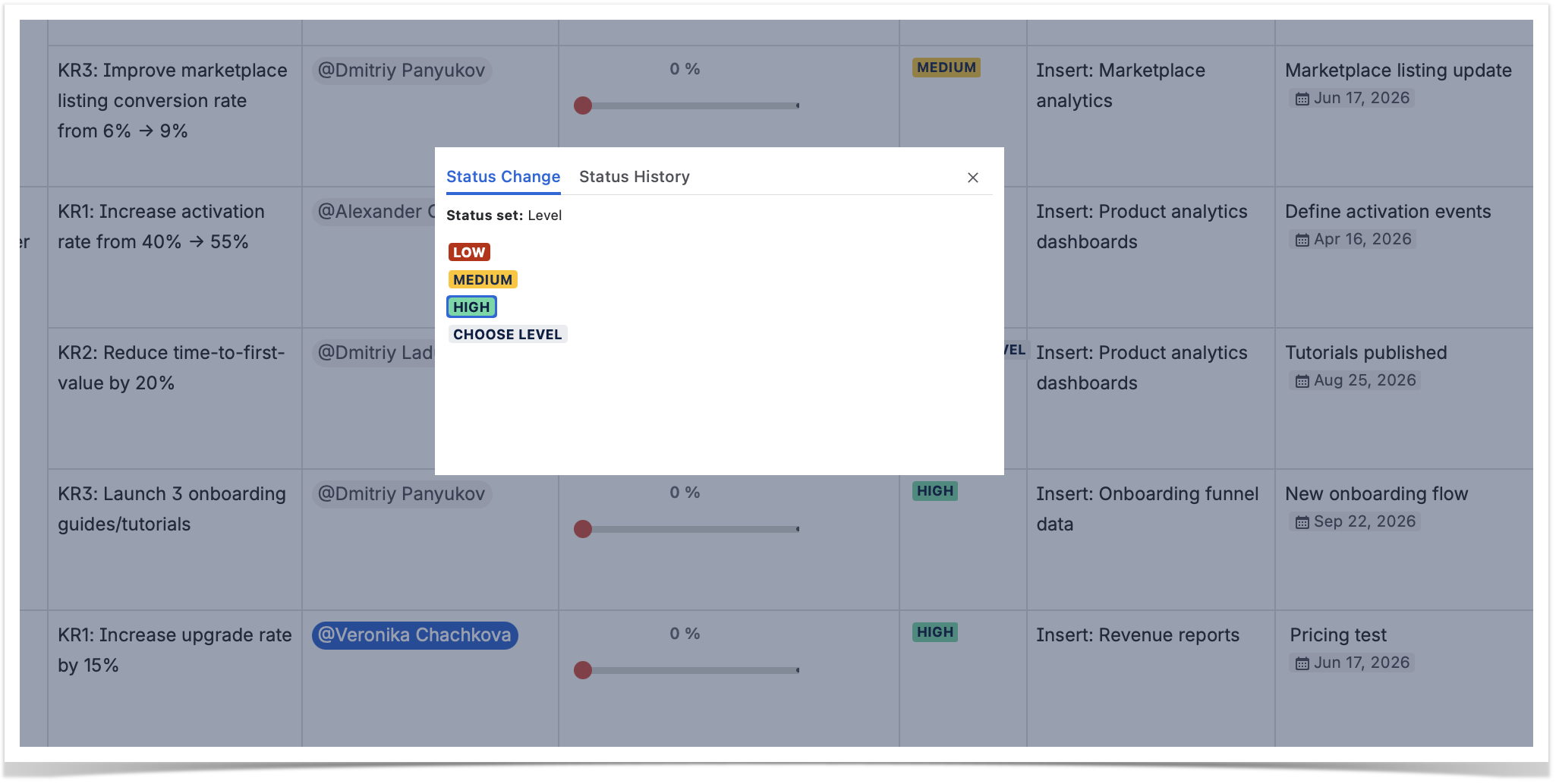
Interactive elements fix this by letting people update a page from view mode in one click. Handy Macros for Confluence (Status, Dropdown & Formatting) adds dropdown statuses and date pickers you can switch without editing the page, plus cards, buttons, and progress trackers to make content easier to scan. See how teams use interactive statuses day to day.
8. Label your content
Labels group pages and attachments that share a topic, regardless of where they sit in the page tree. Two habits make them work: create meaningful labels using a short, agreed-upon vocabulary, and use the Filter by label macro to list every page carrying a given label.
Labels also pair neatly with the interactive statuses from Handy Macros for Confluence. If you sync a page’s Handy Status to a label, the label updates automatically every time the status changes.
9. Grant permissions wisely
When too many people have admin rights, everyone configures Confluence for their own corner of the world, and the global structure suffers. A couple of principles keep things healthy:
- Give users exactly the permissions they need to do their work — no more.
- Keep the number of space and system admins small.
10. Train your users to adopt Confluence best practices
Structure, templates, labels, and macros only pay off when people actually use them. The most important practice is also the least technical: give your team a few simple guidelines and a living “how we use Confluence” page, and train new users on the basics. When the system is easy to follow, people follow it — and your documentation stays organized as it grows.
FAQ
What are the most important Confluence best practices? The most important Confluence best practices are to keep your spaces and pages well-structured and set clear permissions. Then avoid duplicating content, use templates, and rely on macros — both built-in and from the Atlassian Marketplace. And don’t forget to train your users and give them simple guidelines to follow.
What is the best way to structure a Confluence space? Create one space per team or per project, and within each space nest related pages under clear parent pages. Use the Child items macro on parent pages so readers can navigate deep hierarchies without expanding the whole sidebar. Consistent page structure and naming conventions make the space easy to browse as it grows.
How do I keep a Confluence from getting disorganized? Use templates for consistency, apply a small, consistent set of labels, avoid duplicate content with Synced blocks, and limit the number of admins. Most importantly, train users on these conventions so the structure holds up over time.
Can I write mathematical formulas in Confluence? Confluence Cloud has no native formula editor, but apps like LaTeX Math for Confluence let you render LaTeX and AsciiMath equations directly on the page, with PDF and Word export — so formulas stay sharp and editable instead of living as screenshots.
How can I make Confluence pages more interactive? Combine Confluence’s built-in macros with Marketplace apps like Handy Macros for Confluence, which let you switch statuses and dates from view mode and add cards, buttons, and sliders.