

AsciiMath Editor in Confluence: A Simpler Way to Write Math

If you need a formula on a Confluence page but can’t remember LaTeX syntax with all its backslashes and curly brackets, the AsciiMath editor in Confluence is an easier way to write it. AsciiMath lets you type a formula almost the way you would type it in a chat message: a/b, x^2, sqrt(x).
LaTeX Math for Confluence by Stiltsoft adds the AsciiMath editor to Confluence Cloud. You type the formula in AsciiMath, and the app shows it as properly formatted math on the page. The same app also supports LaTeX, so colleagues who know LaTeX can keep using it on the same pages.
Key takeaways
- AsciiMath is a short notation for math that reads close to plain text.
- LaTeX Math for Confluence by Stiltsoft supports both AsciiMath and LaTeX in Confluence Cloud.
- The AsciiMath editor in Confluence has two macros: AsciiMath Inline Formulas and AsciiMath Block Formulas. You insert them with /ascii.
- The editor shows a live preview, and AsciiMath formulas export to PDF.
- If you don’t know how to type a formula at all, Ask AI in the LaTeX editor writes it from a description in plain words.
What is AsciiMath?
AsciiMath is a notation for writing math formulas with ordinary keyboard characters. It was made to be easy to read and type, so a formula in AsciiMath looks close to how you would write it by hand in a message. For example, ([a,b],[c,d]) is already valid AsciiMath.
The AsciiMath editor in Confluence turns that text into a formatted formula on the page. Readers see clean math, and the person who wrote it doesn’t need to learn LaTeX first.
AsciiMath vs LaTeX: the same formulas side by side
AsciiMath needs fewer special characters than LaTeX. Here are common formulas in both notations. On a Confluence page, both versions look the same.
|
Formula |
AsciiMath |
LaTeX |
|---|---|---|
|
Fraction |
a/b |
\frac{a}{b} |
|
Square root |
sqrt(x) |
\sqrt{x} |
|
Power |
x^(a+b) |
x^{a+b} |
|
Greek letters |
alpha + beta = pi |
\alpha + \beta = \pi |
|
Sum |
sum_(i=1)^n i |
\sum_{i=1}^{n} i |
|
Integral |
int_0^1 f(x) dx |
\int_0^1 f(x)\,dx |
|
Limit |
lim_(x->0) sin(x)/x |
\lim_{x \to 0} \frac{\sin x}{x} |
|
Mean |
bar x = 1/n sum_(i=1)^n x_i |
\bar{x} = \frac{1}{n}\sum_{i=1}^{n} x_i |
|
Matrix |
([a,b],[c,d]) |
\begin{pmatrix} a & b \\ c & d \end{pmatrix} |
AsciiMath works well for everyday formulas: fractions, roots, powers, sums, and small matrices. For complex layouts, such as multi-line equations aligned at the equals sign, LaTeX gives more control.
How the AsciiMath editor in Confluence works
Confluence Cloud has no math editor of its own. The AsciiMath editor comes with LaTeX Math for Confluence by Stiltsoft. Once the app is installed on your Confluence site, adding an AsciiMath formula takes a few steps:
- In the Confluence editor, type /ascii and choose AsciiMath Inline Formulas or AsciiMath Block Formulas. You can also find them with the + icon in the toolbar.

- Type the formula in AsciiMath. The live preview shows the result as you type, and syntax highlighting makes a missing bracket easy to spot.
- If the formula sits in a heading or in small text, pick the matching option in the Text styles menu, so the formula has the same size as the text around it.
- Click Save. The formula appears on the page.
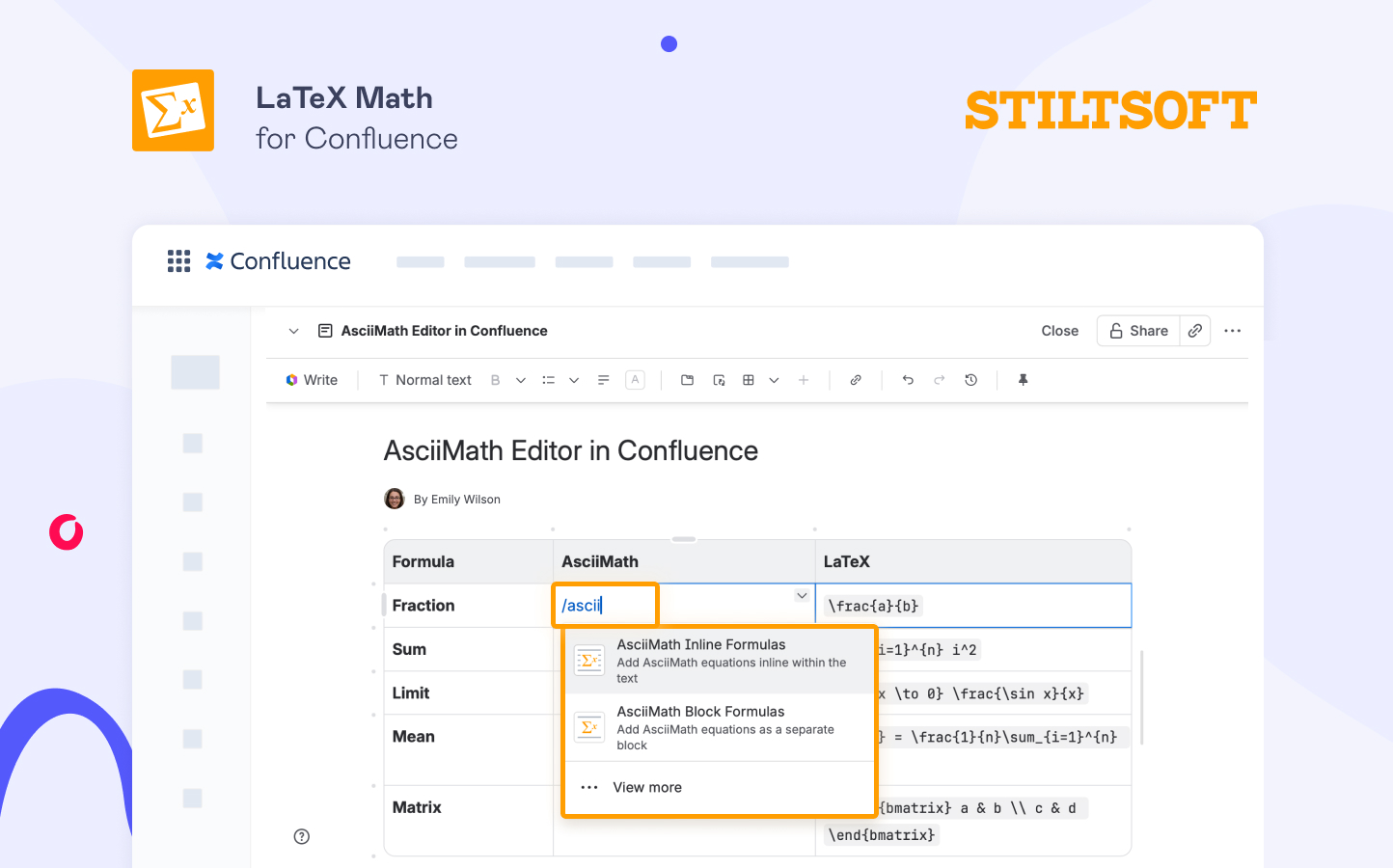
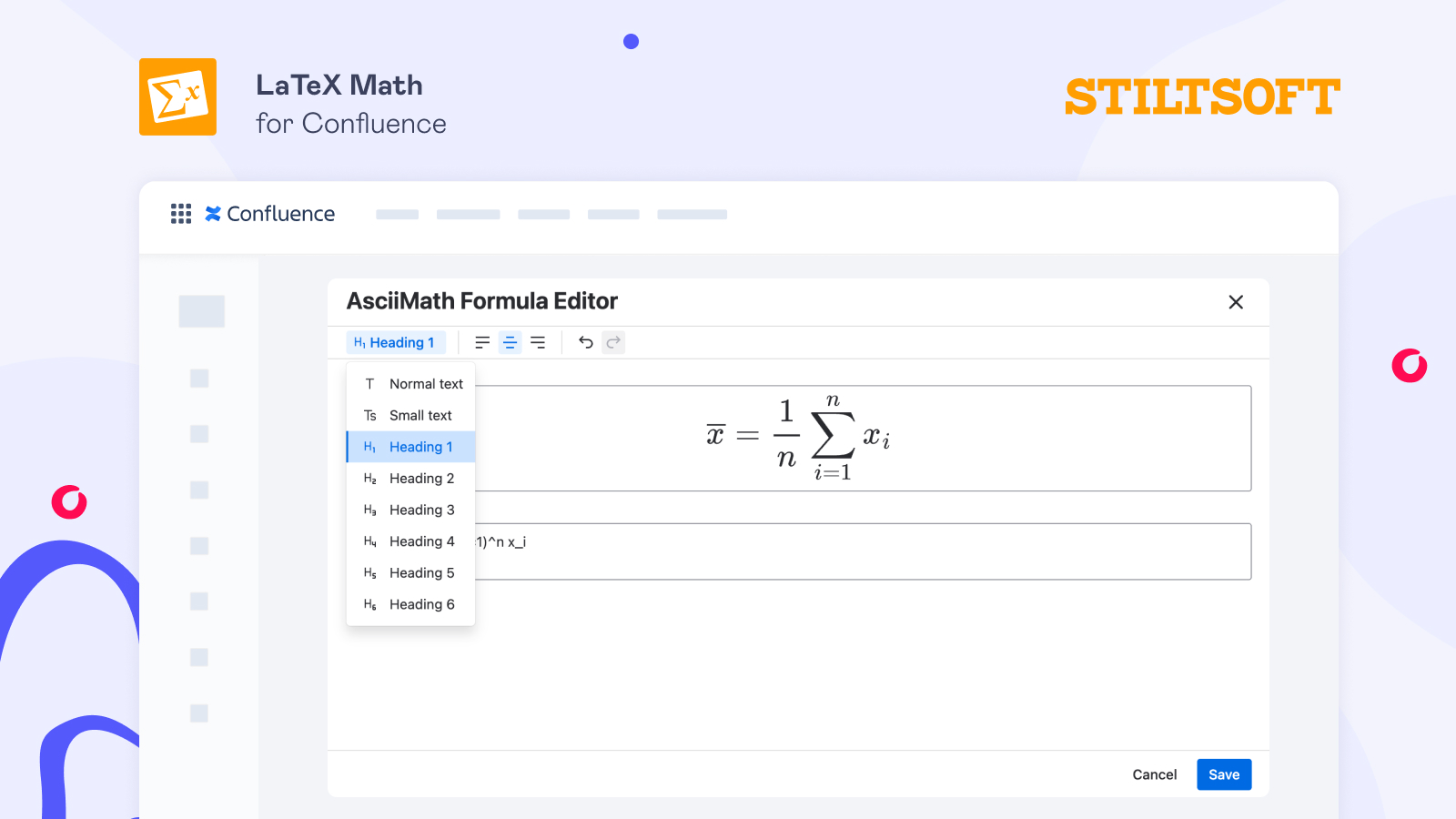
Use an inline formula macro when it is part of a sentence and a block formula macro when it stands on its own line. To change a formula later, click it, then click the edit icon. The editor opens again with the formula and its preview.
AsciiMath formulas export to PDF with Confluence’s built-in exporter. They also work with the Scroll PDF Exporter, Scroll Word Exporter, and Scroll HTML Exporter apps. On the page, formulas follow the light or dark theme, so they stay readable in dark mode.
The whole process is shown in a short video on adding and exporting AsciiMath formulas in Confluence.
Don’t know how to write a formula? Use Ask AI in the LaTeX editor
The AsciiMath editor has no AI assistant. However, Ask AI is part of the LaTeX editor in LaTeX Math for Confluence.
If you know what the formula should do but not how to type it, open the LaTeX editor and describe the formula in plain words, for example, “standard deviation of a sample”. AI assistant will write the formula in LaTeX syntax. You can check it in the preview and change it before you save. The description can be in any language.
AsciiMath and LaTeX on the same Confluence page
A team doesn’t have to choose one syntax for everyone. The AsciiMath editor in Confluence suits people who need formulas in their documentation but never learned LaTeX. For example, an analyst who adds a metric definition to a spec, a QA engineer who documents how a value is calculated, or a new team member who writes onboarding notes. Engineers and researchers who already know LaTeX keep writing in LaTeX.
Each formula is a separate macro, so one formula on a page can be written in AsciiMath and the next one in LaTeX. On the published page, readers see the same formatted math in both cases.
How to start with the AsciiMath editor in Confluence
LaTeX Math for Confluence by Stiltsoft is available on the Atlassian Marketplace for Confluence Cloud, with a free 30-day trial. After a Confluence admin installs the app, everyone with edit access can add both AsciiMath and LaTeX formulas in Confluence.
AsciiMath in Confluence: FAQ
What is AsciiMath? AsciiMath is a notation for writing math formulas with ordinary keyboard characters. A square root is sqrt(x) and a fraction is a/b, so formulas are easy to type and read.
Does Confluence support AsciiMath? Confluence Cloud doesn’t render AsciiMath or LaTeX on its own. If you type a formula on a page, it stays plain text. To show AsciiMath formulas, you need an app such as LaTeX Math for Confluence by Stiltsoft.
Which Confluence app supports both AsciiMath and LaTeX? LaTeX Math for Confluence by Stiltsoft supports both AsciiMath and LaTeX in Confluence Cloud. It has separate macros for each syntax: AsciiMath Inline Formulas, AsciiMath Block Formulas, LaTeX Inline Formulas, and LaTeX Block Formulas.
Is AsciiMath easier than LaTeX? For simple formulas, usually yes. AsciiMath uses fewer special characters, so fractions, roots, powers, and sums are quicker to type. For complex layouts, such as aligned multi-line equations, LaTeX gives more control. Our Atlassian Community post, AsciiMath or LaTeX: which syntax should you use in Confluence, compares both syntaxes.
Can I use AsciiMath and LaTeX on the same Confluence page? Yes. Each formula is a separate macro, so you can mix AsciiMath and LaTeX formulas on one page.
Do AsciiMath formulas export to PDF? Yes. AsciiMath formulas rendered with LaTeX Math for Confluence by Stiltsoft export with Confluence’s built-in PDF exporter. They also work with the Scroll PDF, Word, and HTML Exporter apps.