






New App Release: Submodule Changes for Bitbucket

We have recently released a new app – Submodule Changes for Bitbucket. This app is created to improve the experience with the Git submodule workflow. No more unreadable pull requests with changes to submodules and skipping the code review process!
Dealing with submodules can be annoying
Our company develops Awesome Graphs for Bitbucket – the app that provides the statistics for projects and repositories and helps to analyze and evaluate development team performance, code review practices, and personal activity of each team member. It’s available for Bitbucket Data Center and Cloud. We use Git submodules that contain features that are similar across all versions in order to achieve the fastest delivery.
If you use it in your projects too, you may face situations where the commits made to a submodule are shown as two hashes in the Diff tab instead of displaying the lines of code, folders, and files that have actually been modified.
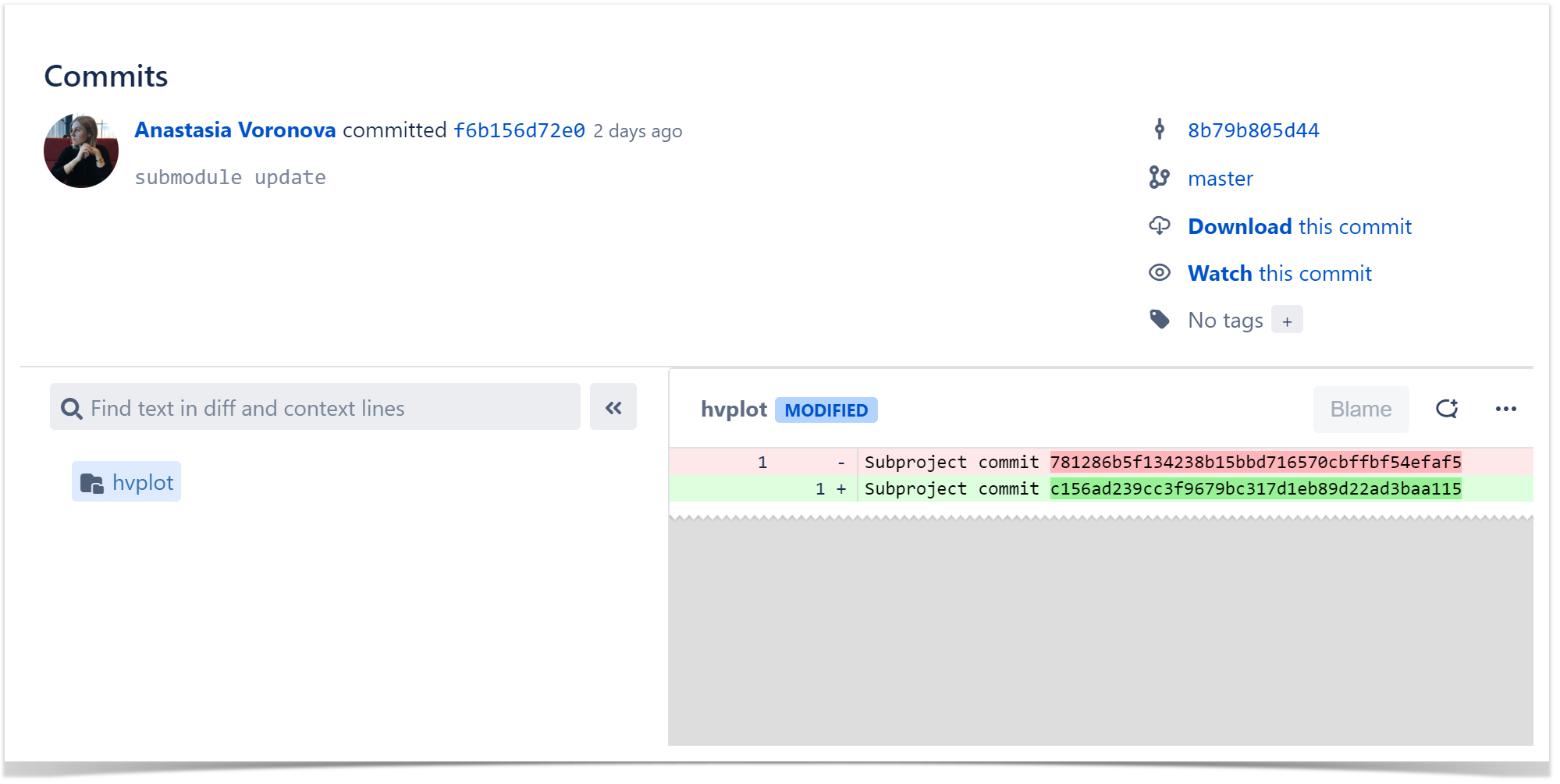
It creates the greatest difficulty to the reviewers of pull requests since there’s no chance to review changes and leave comments on the commits of the submodule repository.
Review Pull Requests Easily
If you don’t want to skip such an important part of the development process as the code review, you can try the solution we created: Submodule Changes for Bitbucket. At first, this app came as software that we were using internally, but then we discovered that lots of other developers face similar issues.
Submodule Changes for Bitbucket replaces two commit hashes with the files modified in a commit or pull request. It highlights the changes with a submodule update in the Diff tab as if all of them were made to a parental repository.
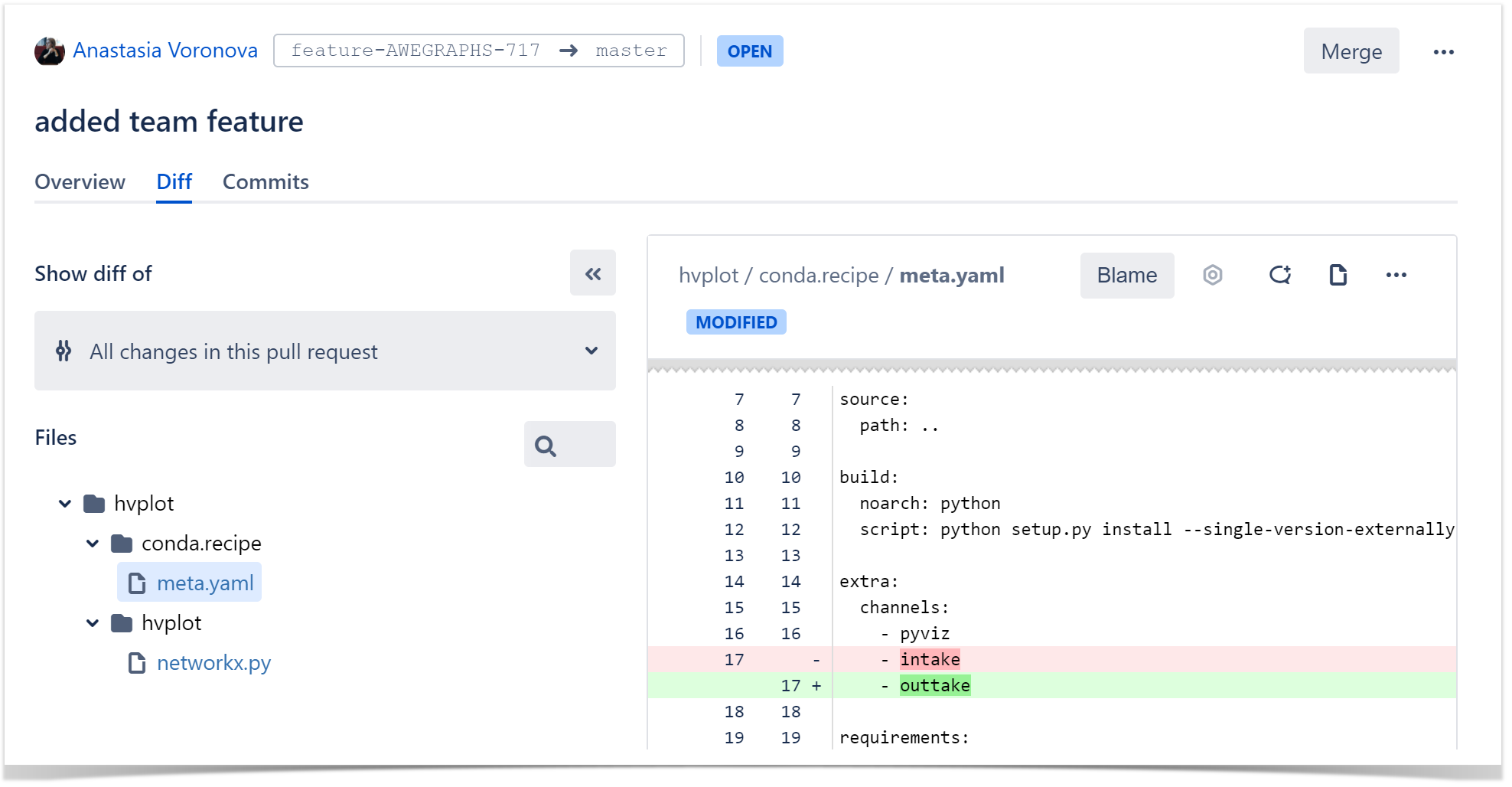
The app also gives you the possibility to watch the Blame view, leave comments, and suggest improvements in pull requests. It makes the process similar to reviewing changes in the original repository.
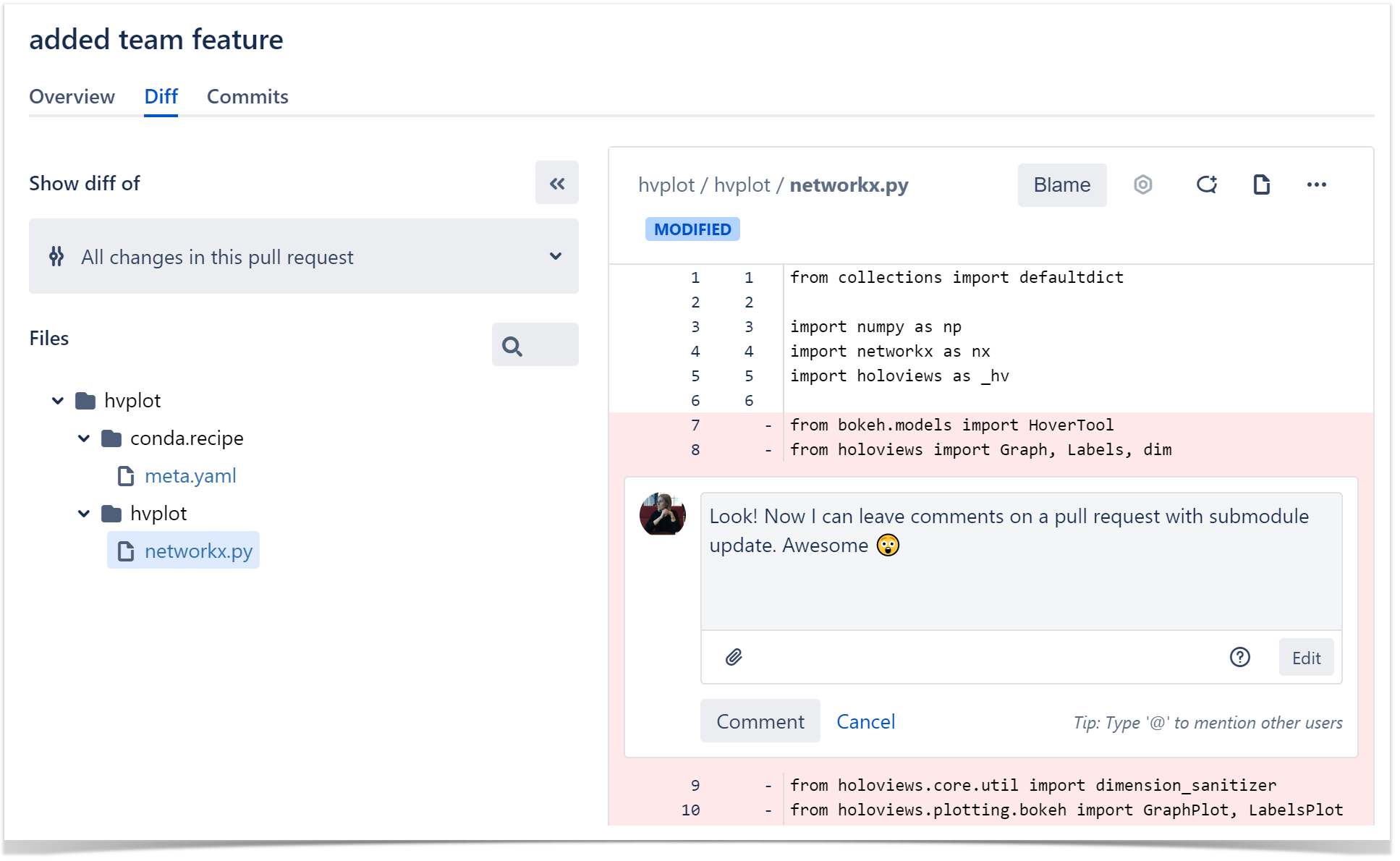
Submodule Changes for Bitbucket is an app that can simplify the code review process for teams that use Git submodules for their projects. Try it and see how it fits your workflow!
➡️ Explore Bitbucket analytics and reporting available in Awesome Graphs.